What Does Cancelled Call Mean?


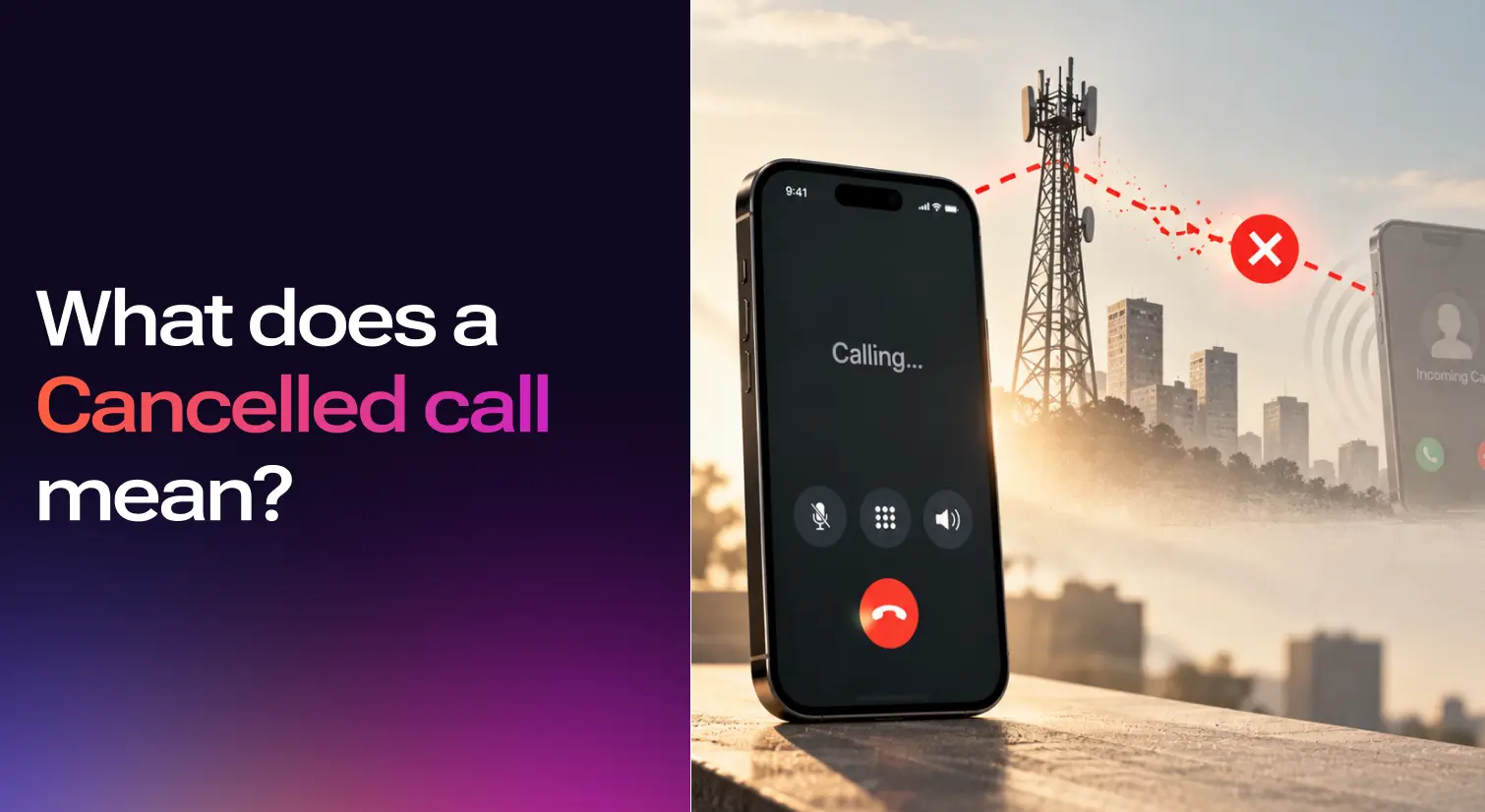

A cancelled call is a call that ended before it ever connected to the recipient's phone. Your phone dialed out, the network began routing the call, and something stopped the process before the other person's device had a chance to ring. The attempt is almost always invisible to them. For an individual caller this is a minor annoyance. For a business, a steady drip of cancelled calls quietly costs revenue nobody is tracking.
Some phones spell the status "canceled" (US spelling) in the same place in the call log, and the meaning is identical.
The Four Call States Compared
Cancelled, missed, declined, and blocked get confused constantly. The confusion matters because the fix for each is different, and the signal to the recipient is different in each case.
The most useful signal in that table is the last column. If the handshake completed, the recipient's phone was notified in some form. If it did not, they saw nothing. A cancelled call sits firmly on the "no handshake" side.
Why calls get cancelled on your end?
Five causes account for the overwhelming majority of cancelled calls, and almost none of them involve the other person doing anything.
You hung up before the ring
This is the most common reason by a wide margin. If you tap a contact and end the call within the first 2 seconds, the network never finishes setting up the call and your log records "cancelled." With wifi calling turned on, setup is faster still, sometimes too fast to cancel cleanly before the recipient's device gets pinged.
Weak or unstable signal
A mobile call needs a steady connection to the cell tower to complete the SIP setup. If your signal drops mid-setup, the call dies before it rings. Basements, elevators, parking garages, and the dead zone between two towers all cause this.
Carrier-side routing failure
The problem sometimes sits between your carrier and theirs. A misrouted call, a congested SS7 gateway, or a brief outage in the destination carrier's voice network can each kill a call after you dialed but before it landed. You usually cannot tell from your phone whether the issue is on your side or theirs.
Phone software glitch
Older iOS and Android builds occasionally drop calls during the dial sequence. Apps that hook into the call process (call recorders, spam filters, VoIP overlays) can also interfere. Force-closing the Phone app and rebooting the handset fixes most of these.
Wrong number caught mid-dial
Misdials, voice assistant errors, and pocket dials all trigger the same reflex. You end the call the instant you realize what happened. That is a cancelled call in your log, and depending on how fast you reacted, it may or may not have notified the other person.
What a cancelled call looks like on iPhone?
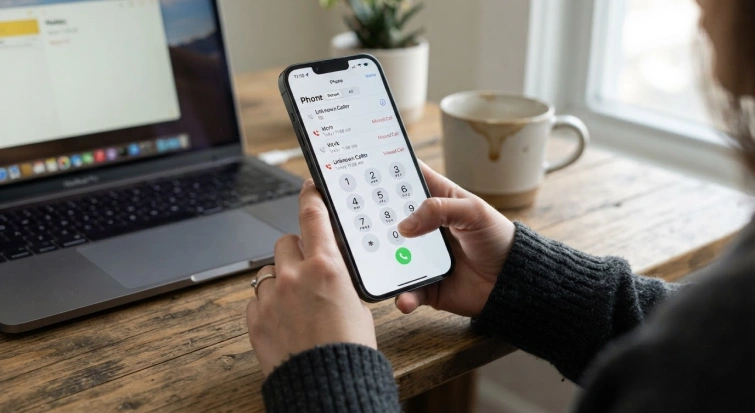
iPhone labels these calls "Cancelled" in red in the Phone app's Recents tab. The label is consistent across iOS versions and shows up whether you ended the call yourself or the network dropped it during setup. Tap into the call details and the duration reads zero.
In the iPhone call log
A cancelled entry records an outgoing call that never completed its connection. Zero duration, no missed-call notification generated on the other end. It is the only call status iPhone marks in red in Recents, so if you see red next to an outbound entry, that is almost certainly a cancelled call rather than anything else.
What a cancelled FaceTime call means
FaceTime "Cancelled" is slightly different from a regular cancelled call because FaceTime runs over the internet rather than the cell network. A FaceTime cancelled entry usually means the recipient's device was offline, the recipient's FaceTime app could not sync the incoming call notification, or the caller ended the attempt before FaceTime completed its own handshake. The fix is rarely a cellular network reset. Check the FaceTime server status page, confirm the recipient's Apple ID is reachable, and make sure your own device has a steady wifi or data connection.
What a cancelled call looks like on Android
Android handles the status less uniformly than iOS. The label depends on who built the phone's dialer app, which varies by manufacturer.
Samsung devices usually show "Cancelled" outright in the call log, similar to iPhone. Pixel and stock Android often show the entry as a plain outgoing call with no duration, or sometimes "Didn't connect," or nothing at all beyond the outbound record. OnePlus, Xiaomi, and others each customize the dialer differently and may use "Canceled," "Not connected," or no explicit label.
If your Android phone shows an outbound call with zero seconds of duration and no follow-up notification, treat it as a cancelled call regardless of what the dialer labels it. The underlying event is the same.
When every call cancels immediately, Try these solutions
If every call you place cancels within a second or two of dialing, the fix is almost never the first thing you try. Work through this flow in order.
Is it one contact, or every contact. If it is one contact only, the problem is at that end. Their number may be deactivated, their carrier may be blocking yours, or they may have you blocked. If it is every contact, the problem is on your side. Proceed.
One network or all networks. If you have wifi calling and cellular both enabled, turn wifi calling off and try again. If calls cancel on cellular but succeed on wifi, your cell connection is the fault. If they cancel on both, the issue is in your phone or your account rather than the network.
With wifi calling on versus off. If the pattern only happens with wifi calling on, your home or office network is dropping the SIP packets. If the pattern happens with wifi calling off, your cell signal or carrier account is the issue.
Recent OS update or SIM change. If calls started cancelling right after an OS update or a SIM swap, roll back the update if possible, or reseat the SIM. These are the two most common triggers for a sudden onset of cancellation across every outbound call.
The outcome of this flow usually points to one of three fixes. A carrier call to check account status, a phone reset, or a visit to the carrier store for a new SIM. If the same situation continues for weeks, contact your carrier rather than repeatedly retrying the call.
How to fix persistent cancelled calls?
If cancelled calls happen once a month, ignore them. If they happen every day on the same device, work through these six steps in order of effort.
Toggle airplane mode. Turn airplane mode on for 30 seconds, then off. This forces your phone to renegotiate with the cell tower and clears most transient network state. Fastest fix that works about a third of the time.
Reset network settings. On iPhone, Settings → General → Transfer or Reset iPhone → Reset → Reset Network Settings. On Android, Settings → System → Reset options → Reset Wi-Fi, mobile & Bluetooth. You will lose saved wifi passwords but keep contacts, photos, and apps.
Update the OS. Both iOS and Android ship calling fixes in point releases. Running a version more than two majors behind can on its own cause cancelled calls. Settings → General → Software Update on iPhone, Settings → System → System update on Android.
Reseat the SIM card. Power off, remove the SIM, wait a minute, reinsert, and power on. Loose or oxidized SIM contacts cause intermittent call failures that look like random cancellations. Dual-SIM users should also try toggling between SIMs.
Clear the Phone app cache (Android only). Settings → Apps → Phone → Storage → Clear cache. This does not delete contacts or history, only the temp files that occasionally corrupt and break dialing. iOS does not expose this option, so a hard reboot is the closest equivalent.
Enable wifi calling. If your cellular signal is weak where you live or work, wifi calling routes calls over your internet connection instead of the cell network. Both iPhone and Android support it under Phone settings.
If you have worked through all six and the problem persists, the issue is on your carrier's end. Open a support ticket. Bring screenshots of your call log with cancelled entries and timestamps. You can also post a comment in a relevant support community to learn whether other users are seeing the same issue, but carrier support is the best place to confirm an account-specific problem.
The Business Cost of Cancelled Calls
Most people search "what does cancelled call mean" to debug their own device. The costlier version of the question runs through businesses. A restaurant, clinic, dealership, or local service provider that answers inbound customer calls lives or dies by its connect rate. When a caller taps the number, hits hold music, and hangs up after 60 seconds, the business's phone system logs that as a cancelled or abandoned inbound call. The caller rarely tries again. The business never knows a sale, a booking, or a support ticket just slipped past.
On the outbound side, sales teams and service dispatchers lose connects to a slightly different cause. Predictive dialers that pace too aggressively cancel their own outbound calls when no human agent is free to pick up. Every one of those reads as "cancelled" in the CRM and represents a prospect who never heard a greeting. For a sales team, that can mean losing money tied to a potential deal before a conversation even begins.
How modern Voice AI handles cancelled calls differently
The cancellation pattern on both sides comes down to one thing. Someone, or something, did not pick up fast enough. An AI voice agent that answers inbound calls within one ring removes the on-hold window that produces most abandoned inbound calls. Callers do not get the chance to hang up because there is nothing to wait through. For a business already running on a traditional queue setup, an AI receptionist placed in front of the queue absorbs the first-ring volume and routes only genuinely complex calls to a human.
On outbound, the dialer problem disappears for a different reason. Because every "agent" is an AI agent, there is no pacing algorithm trying to guess human availability. Outbound campaigns run in parallel without producing the cancelled-call pattern that over-paced predictive dialers create. An AI call center workflow for inbound and an AI cold calling workflow for outbound each sidestep the specific failure mode that creates cancelled calls in their domain.
The reason this works is latency. A voice agent that responds in under a second feels close to human conversational tempo. Below that threshold, callers do not hang up because they do not notice they are talking to AI. When the agent needs human help, it can perform a warm transfer with full context attached, so the handoff itself does not produce a dropped-call pattern either. For deeper background on how a voice agent understands and responds to a caller, see how conversational AI works. You can share this explanation with teams that need to learn how voice AI can address call abandonment. This will not replace a human front desk on day one. It will cover the calls that otherwise go unanswered.

Frequently Asked Questions
What does cancelled call mean?
.svg)
A cancelled call is a call that ended before it connected to the recipient's phone. Your phone dialed out, the network began routing the call, and something stopped it before the other person's device rang. Three causes explain nearly all of them. You hung up within the first 2 seconds, your signal dropped during setup, or a carrier routing failure killed the call. The recipient sees nothing.
What does cancelled call mean on iPhone?
On an iPhone, "Cancelled" in the Phone app means your outgoing call ended before the other phone rang. Apple labels these in red in the Recents tab and shows zero duration when you tap into the details. The label is consistent across iOS versions and appears whether you ended the call yourself or the network dropped it during setup.
What does cancelled call mean in an iPhone call log?
A cancelled entry in your iPhone call log records an outgoing call that never completed its connection. It carries zero duration and generates no missed-call notification on the other end. It differs from a missed call, where the connection succeeded and the recipient's phone rang. Android labels the same event inconsistently, showing "Cancelled" on Samsung and often just an outgoing call with no duration on Pixel.
Does cancelled call mean they declined?
Almost never. A declined call reaches the recipient's device, lights up the incoming-call banner, and ends when they tap decline. A cancelled call never makes it that far. The handshake does not complete, so there is nothing for them to decline. If you see "Cancelled" in your log and the duration is zero, the recipient did not reject the call. Something stopped it before they ever saw it.
Why would a call say cancelled on iPhone?
Usually one of three things. You hung up within the first 2 seconds of dialing, before the handshake completed. Your signal dropped mid-setup. Or a carrier-side routing problem killed the call after you dialed but before it rang through. If this happens once in a while, it is normal. If it happens on every call, run through the diagnostic flow above.
Does a cancelled call come through?
Sometimes, yes. If you cancelled fast enough that the handshake had not completed, the call never reaches the recipient's device at all. If you cancelled after the handshake had already started (around 2 to 3 seconds in), the recipient's phone may ring once or twice before the call drops. In that case, they will see a missed call. This is why some Reddit threads describe "cancelled calls that aren't really cancelled."
Does a cancelled call mean the person hung up?
No. "Cancelled" in your call log refers only to your side of the call. It means the call ended before the handshake with the recipient's device completed. The recipient did not hang up because the call never reached them to be answered. If you want to know whether they hung up, that status would be "declined" or a short-duration connected call, not "cancelled."
Does a cancelled call mean I've been blocked?
Almost never on a single incident. Blocking is consistent and repeatable across multiple attempts. A blocked number typically goes straight to voicemail every single time, texts stop showing as delivered, and the pattern holds for days. One cancelled call in isolation is almost always a network or device hiccup on your end rather than evidence of blocking.
Does the other person know I cancelled the call?
Usually no, if you ended the call fast enough. The recipient's phone is only notified once the call setup completes, which takes 1 to 3 seconds. If you cancelled inside that window, they see nothing. If you waited longer, their device may have rung once or twice and logged a missed call.
What does cancelled call mean on FaceTime?
FaceTime "Cancelled" usually means the recipient's device was offline when you placed the call, their FaceTime app could not sync the incoming call notification, or you ended the attempt before FaceTime completed its own handshake. FaceTime runs over the internet rather than the cell network, so a network-level fix for cellular cancellations rarely helps. Check the Apple System Status page for FaceTime and confirm both devices have a steady connection.
Do cancelled calls show up on my phone bill?
Generally no. Most carriers do not bill for calls that did not connect because billing triggers on call completion, not on call initiation. Check your detailed bill if you are unsure. Connected calls show a duration in seconds and a charge. Cancelled calls show as zero duration with no charge against them. If you are concerned about unexpected money being charged, your carrier's detailed billing record can confirm whether the call was billable.
How does a missed call differ from a cancelled call for the recipient?
A missed call notification appears on the recipient's phone only when the call successfully connected and rang on their device. A cancelled call ends the connection before the ring fires, so the recipient sees nothing in their log. That is the single reason people often do not know you tried to call. If you need to make sure they get the notification, let the call ring at least 4 to 5 seconds before ending it.