How to Create Multi-Speaker AI Voice Dialogue That Sounds Real



Key Takeaways
- Multi-speaker AI voice dialogue uses two or more distinct AI voices in one script, for podcasts, audiobooks, training, and games.
- Different voices alone don't make it sound real. Script, pacing, and delivery also play an important role.
- Write the script like real speech, with contractions, fragments, and a speaker label on every line.
- Pick voices with clear contrast in tone, age, and energy. Stick to 2-4 per conversation.
- Vary pauses and pace for each character, and add emotion direction where a line calls for it.
- Lock each character's settings, then listen to the full audio and fix issues block by block.
Creating realistic conversations with multiple AI voices takes more than switching from one voice to another. Type a two-person script into a single AI voice, and both characters sound like the same person talking through two parts. Even an AI Voice Generator with different voice options can fall short of a natural conversation. The timing may be off, the delivery may be flat, and neither voice reacts to the other.
That gap between “multiple voices” and “a real conversation” is what this guide is about. It walks through how to build this kind of dialogue, also known as text-to-dialogue, step by step, plus the mistakes that make it sound fake.
What Is Multi-Speaker AI Voice Dialogue?
Multi-speaker AI voice dialogue is audio where two or more AI voices talk to each other. Each voice sounds distinct and delivers human like speech. Instead of one voice reading every line, unique voices deliver different lines, the way real speakers would.
You might use it for podcasts, YouTube videos, training scenarios, and audiobooks. If you are a developer, you might use it to power game NPCs (Non-Player Characters), voice agents, and interactive apps where a script has more than one character.
But adding more voices doesn't automatically make your dialogue sound real. Even with two different voices assigned, every line can still sound like it is coming from the same source. Your script might say "Character A" and "Character B," but the delivery doesn't know that. Fixing that takes more than picking the right voices.
Step-by-Step: How to Create Multi-Speaker AI Voice Dialogue
Here is the process, from script to final output. Follow the steps to get a conversation that sounds clean and real.
Step 1: Write Your Script Like Real Speech, Not an Essay
Write dialogue using contractions and fragments, the way people actually talk. Most AI dialogue sounds stiff before you have even picked a voice. That is because the script is already written like an essay, and no voice can fix that.
Here is the difference. An essay sentence reads like this: "I do not think we should proceed with the plan, given the current circumstances." A person would actually say: "I don't think we should go ahead. Not now."
Real speech is shorter. It uses contractions, like "don't" instead of "do not." It breaks into fragments, like "Which one?" instead of a full sentence. People interrupt themselves, restart, and leave sentences unfinished. Written English avoids all of that on purpose, since it needs to be precise and complete. Speech doesn’t need to be either.
Label each line by speaker before you write the dialogue itself:
- Character A: Did you see the email?
- Character B: Which one?
- Character A: From finance. About the budget cut.
- Character B: No. When did that come in?
Notice the fragments ("Which one?"), the natural follow-up, and how neither line is a complete formal sentence. That is what makes it sound like two people talking, not two people reading.
Step 2: Cast a Distinct Voice for Each Speaker
Pick a voice for each character based on tone, age, and energy. Make sure they sound different enough to tell apart.
Match each voice to who the character actually is. A tired night-shift worker and an upbeat sales rep shouldn't sound the same, even if they share a gender. Most AI voice platforms let you filter realistic voices by these attributes. That narrows the list fast.
Contrast matters more than variety. Two voices in a similar pitch range blend together, even when they are technically different. Pick voices that sit far enough apart to be obvious within a few words. This kind of voice pairing is what makes each speaker easy to tell apart.
Stick to 2-4 voices per conversation, or listeners might lose track of who's talking.
Step 3: Set Pacing and Pauses Between Lines
Add pauses and vary the speaking pace between speakers in your speech editor instead of using even timing.
The gap between lines matters more than the voices themselves. Real conversations have rhythm. People pause before answering, jump in fast when they are excited, or leave a beat of silence before a hard question.
Give each character their own speed, and fine tune speed per line where the mood shifts. A nervous character rushes through lines. A calm one takes its time. If every line plays at the same pace, the whole conversation flattens out no matter how different the voices sound. Equal-length pauses after every line are exactly what make AI dialogue sound like it is reading a transcript instead of having a conversation.
Step 4: Direct Delivery So Speakers React, Not Just Recite
Add emotion and tone direction for full control over how each line sounds, so it reads as a reaction. Real people react to what was just said, even in small ways, a slight rise in tone, a pause before disagreeing, a flatter delivery when they are annoyed.
A line like "Are you serious?" reads completely differently depending on whether it's delivered as surprised, annoyed, or amused. Without direction, most AI voices generate speech in a neutral read that flattens the meaning.
This is what separates dialogue from narration. Narration delivers information. Natural conversations respond to it.
Step 5: Keep Each Voice Consistent Across the Script
Save each character's chosen voice and pacing settings, then reuse them across the whole script.
Once you find the right fit for a character, lock it in to keep consistent quality across every scene. This matters most in long scripts, long speeches, or multi-scene projects. A character that sounds one way in scene one and slightly different in scene three breaks the illusion, even if your listener can't quite say what changed.
Step 6: Generate, Review, and Fix What Sounds Off
Generate the full script as one audio file, listen straight through, then fix issues at the block level. Once the script, voices, pacing, and delivery are set, you are ready to convert text into audio.
Listen to the spoken audio for specific problems: a voice that sounds flat where it should react, a pause that feels too short or too long, two speakers that still blend together despite different voice picks.
Fix these at the block or line level, then regenerate just that part instead of the whole script. Block-by-block fixing works best with a multi-voice text to speech tool, like Murf's AI Voice Generator.
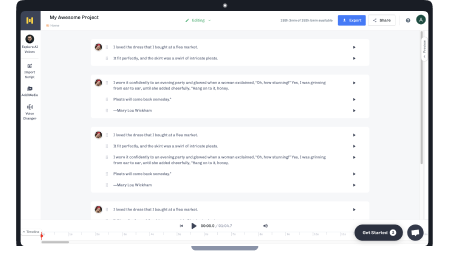
It lets you structure a script by speaker, assign a separate voice to each one, adjust pacing and emphasis per line, and regenerate just the block you changed instead of the whole script.
A Short Example: Two Speakers, Start to Finish
Here is the same short exchange, before and after applying the steps above.
Before (essay-style, no direction):
- Character A: I do not think we should proceed with the plan, given the current circumstances.
- Character B: I understand your concern, but I believe we should continue as scheduled.
After (natural speech, paced, directed):
- Character A: (hesitant) I don't think we should go ahead. Not now.
- Character B: (pause, then firm) I get it. But we are already behind. We can't wait.
The second version uses fragments and contractions, adds a short pause before Character B responds, and directs the tone of each line instead of leaving it neutral. Same content, same length, completely different feel.
Mistakes to Avoid When Creating Multi-Speaker AI Dialogue
- Same-sounding voices: One of the common mistakes is using voices that sound too alike. Two voices in a similar pitch and tone blend together, even when you have assigned them to different characters. Fix this by picking voices with more contrast in pitch, tone, or pace.
- No pause variation: Another common issue is using the same gap length after every line. Equal-length pauses make your conversation sound scripted. Fix this by varying pause length based on what is being said; quick replies get short gaps, hard questions get longer ones.
- Flat delivery: A frequent problem is lines read in a neutral tone regardless of what is happening in the conversation. Fix this by adding emotion or tone direction to lines that call for it.
- Inconsistent volume or levels: Sometimes one speaker sounds louder or clearer than the other, which breaks the sense that they are in the same space. Fix this by checking and matching volume levels across all speakers before you export.
Multi-Speaker AI Voice Generator Use Cases
Multi-speaker AI dialogue shows up across formats where more than one voice makes your content feel real.
- Podcasts and interviews: Two-host formats and interview-style shows depend entirely on your listeners telling voices apart without effort. This is one of the most common real-world applications of multi-speaker AI dialogue today.
- Audiobooks and fiction: Multi-character stories use distinct voices to separate narration from dialogue, and one character from another, without hiring multiple voice actors.
- Training and e-learning: Role-play scenarios, teacher-student exchanges, and simulated customer conversations all rely on multi-speaker dialogue. It makes your training content feel like a real interaction in multiple languages, instead of a script being read aloud.
- Game dialogue and NPCs: Developers use it to generate character conversations on the fly, where consistent, distinct voices matter for keeping characters recognizable across long playtimes.
- Ads and marketing: Dialogue-style ads, two people talking through a problem and a solution, tend to feel more natural than a single voice listing features. On paid plans, you get full commercial usage rights to publish them.
Even outside these formats, the same principle shows up in smaller ways. Livestreaming tools that read out chat messages or donations aloud rely on the same core idea: a voice needs to sound distinct and react naturally to keep listeners engaged.
Murf's AI Voice Generator supports this kind of multi-speaker TTS workflow, letting you filter voices by use case and structure scripts by speaker across these formats. It has over 200 multilingual voices across 35+ languages, plus API access if you need to generate dialogue programmatically. This setup fits both a one-off podcast script and a larger, automated content creation pipeline.
Conclusion
No single step in this process fixes the problem alone. A great voice pick can't save a script written like an essay, and natural pacing can't fix flat delivery. It is the combination that makes multi-speaker AI dialogue sound like human speech, not lines being read.
Frequently Asked Questions
Can I use one voice to create different character personalities?
.svg)
Yes, to some extent. Adjusting pitch and speed on a single voice can create noticeably different character personalities without switching voices entirely, though different languages need their own voices. It works best for small variations within one voice's emotional range, not for characters that need to sound clearly distinct.
How do you maintain a character's voice across multiple AI-generated scenes?
Save the voice, tone, and pacing settings for each character once you land on the right fit, then reuse those exact settings for voice generation in every scene. This prevents small drifts in the audio that make your character sound slightly different from one scene to the next.
Why do my AI voices sound swapped or mixed up between speakers?
This usually happens when multiple speakers aren't labeled clearly in your script. It can also happen when one character's settings land on the wrong block, so set up each character separately. Double-check speaker labels and block assignments before you generate the final audio file.
What's the difference between multi-voice TTS and voice cloning?
Multi-speaker Text to Speech assigns different existing AI voices to different speakers in one script. Voice cloning uses neural networks trained on a specific person's real voice to create a new AI voice, which can be your own voice. You will often see them used together, but they solve different problems.
How accurate is AI pronunciation in multi-speaker dialogue?
Murf's AI achieves 99.38% pronunciation accuracy across languages. That matters in dialogue, where one mispronounced name or term can break the illusion for the whole conversation. It scales by allowing updates without full re-recordings.

![How to Make an Audiobook with AI [& Monetize It!]](https://cdn.prod.website-files.com/675151245f2993547dbd5046/697b409a9d6ca1b3bf30746a_679a13a71366ef75bf8379cd_Blog%25202%2520-%2520How%2520to%2520Create%2520an%2520Audiobook%2520with%2520AI%2520-%2520Hero.webp)