IVR Scripts: Examples and Templates


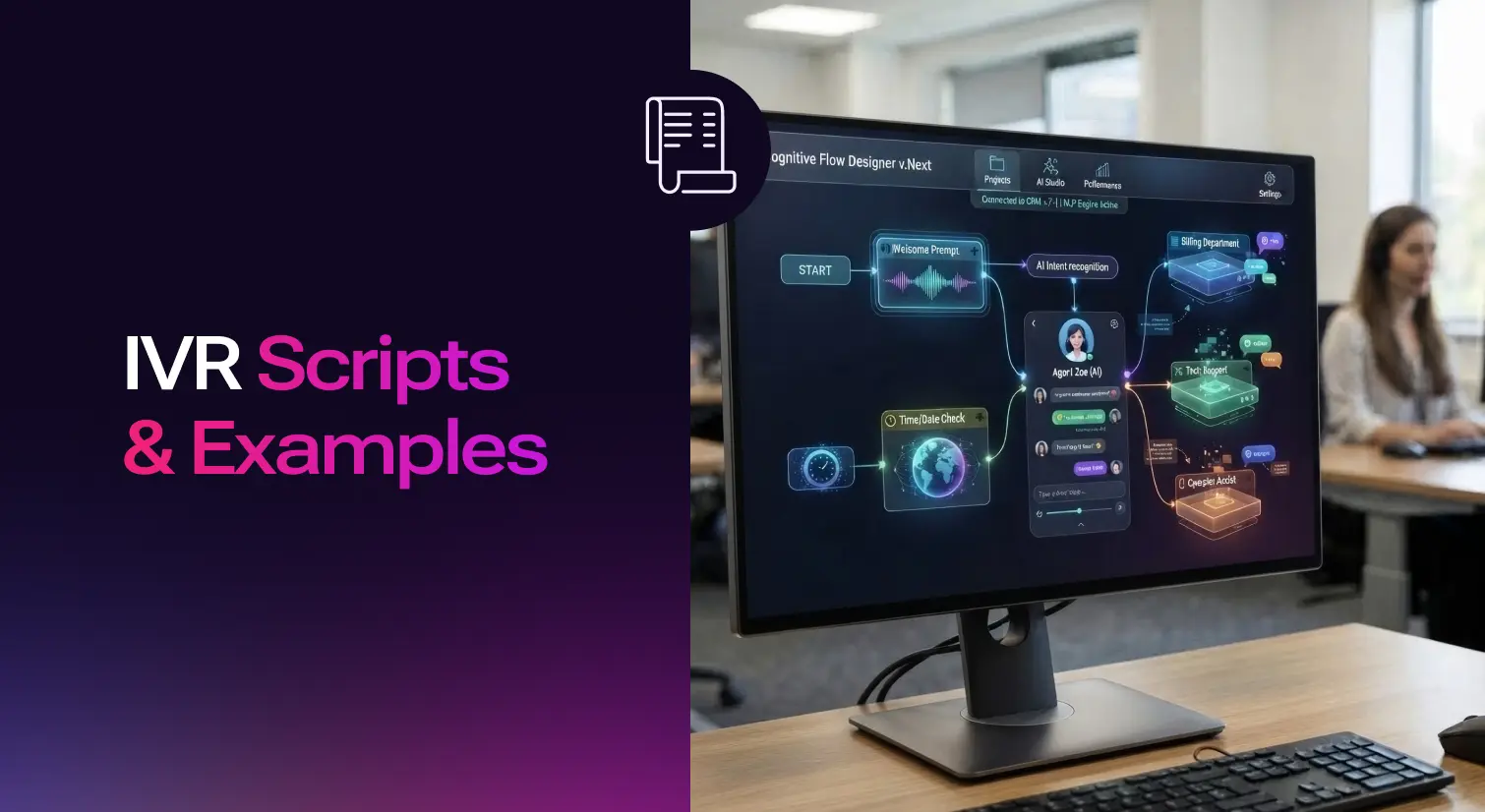

An IVR script is the pre-recorded dialogue that greets callers, presents menu options, and moves them toward a resolution without a human agent. It's the first thing that shapes a caller's experience with your phone system and by that extension your business, often before they ever reach a customer service representative. Some phone systems call this an auto attendant script instead of an IVR script; the two terms describe the same thing. Get the wording wrong and callers hang up, repeat themselves, or hit zero in frustration. Get it right and most calls resolve faster, with the agent line reserved for the things that actually need a person.
A bad IVR script shows up in the numbers before anyone complains directly this would include, longer average handle times, more calls that end in a hang-up before reaching an agent, and more repeat calls from people who couldn't find what they needed the first time. A good IVR script does the opposite. It prioritizes what the customer actually needs, keeps call volumes moving through the system smoothly, and protects customer satisfaction instead of testing it. None of this requires a system overhaul. Most of it comes down to the wording, and a well-crafted IVR script can significantly enhance the customer experience without touching the phone system itself.
Below are 12 script templates for the situations that come up most often in a call center, plus the writing habits that separate an effective IVR script from one people barely tolerate.
How to Write an IVR Script?
Before touching the wording, get the following four things settled:
- Start with why people actually call: Pull your last few hundred calls, or just ask your agents what comes up daily. If billing inquiries dominate, billing goes near the top of the initial menu, not buried under "for all other inquiries."
- Keep the path short: Three or four options per menu, not eight. If you need more than four, split into a second layer of sub menu options rather than a longer list. IVR menus exist to direct calls to the right department, not to show off everything your phone system can do.
- Structure every menu prompt script to minimize customer effort: The goal is getting the caller to a resolution in as few steps as possible, and setting clear expectations along the way so they know what's coming next. Whether the call ends up with a sales representative, a support specialist, or someone in billing, the caller should know which one they're about to reach before they're transferred.
- Match your brand's voice: A dental office and an energy drink company shouldn't sound the same on the phone, and their communication styles shouldn't either. Write the script the way your team actually talks to customers, not the way a legal disclaimer reads. The same menu can carry two different tones depending on your brand:
Formal: "Thank you for calling [company name]. For customer service, press 1."
Casual: "Thanks for calling [company name]! Need help with something? Press 1."
Neither is more correct. The one that matches how your team already sounds on the phone is the right one.
Before you record anything, have someone unfamiliar with your business call in and navigate the script. Watch where they hesitate or press the wrong number. That's the spot to rewrite. Many teams also run A/B tests on their IVR scripts once they're live, trying two versions of the same menu prompt and tracking which one gets callers to the right place faster.
Every good IVR script comes down to three key components namely, the greeting, the main menu, and error handling. The greeting sets the tone in the first few seconds. The main menu routes the call. Error handling is the part most scripts skip, and it covers what happens when a caller doesn't press anything, presses an option that doesn't exist, or the system doesn't recognize their input. A well-designed IVR script always has a fallback for this, usually a short repeat of the menu or a direct route to a live agent, instead of leaving the caller in silence.
12 Examples of IVR Script
Each of these menu scripts uses bracketed placeholders. Swap in your details and read it out loud before recording. If it sounds stiff when spoken, it'll sound stiff on the call too. These are pre-recorded voice prompts, so how they read on paper matters less than how they sound out loud.
1. Greeting and main menu
Thank you for calling [company name]. Please listen carefully, as our menu options have changed.
For customer service, press 1. For our sales department, press 2 to speak with a sales representative. For billing inquiries, press 3. For our hours and location, press 4. To speak with someone directly, press 0.
If you know your party's extension, you may dial it at any time. To repeat this message, please press 9.
2. Department or submenu routing
You've reached customer service. Please choose the sub menu option closest to your reason for calling.
To open a new account, press 1. To make changes to an existing account, press 2. To close an account, press 3. To speak with a customer support representative, press 0.
3. Hold and queue message
All our AI voice agents are currently helping other customers. Incoming calls are answered in the order they're received, and right now our call volumes are higher than usual.
Your estimated wait time is [X] minutes. To keep your place in line, stay on the line. To receive a callback instead, press 1.
A strong IVR script reduces wait times by giving callers a real option here, like a callback, instead of just hold music. It protects caller satisfaction even when the queue is genuinely long.
4. Call transfer
Thanks for your patience. We're connecting you with the person best suited to help with your specific request, based on our call flow for this department.
Please hold for a moment while we transfer your call for further assistance. This should only take a few seconds.
5. Callback offer
We understand your time matters, and our team is currently busy with other calls.
If you'd like a callback instead of waiting on hold, press 1. You'll keep your place in line, and we'll call you back as soon as it's your turn. To continue holding, simply stay on the line.
A callback option at this point in the customer journey reduces frustration for callers who'd otherwise be stuck listening to hold music with no sense of when they'll get through.
6. Appointment scheduling
Thanks for calling [company name]. Let's get your appointment scheduled.
For a new appointment, press 1. To reschedule or cancel an existing appointment, press 2. To confirm an appointment you already have, press 3. To speak with the front desk, press 4.
7. Billing and account information
Welcome to [company name]'s billing department. This call may be recorded for quality purposes.
For your account balance, press 1. To make a payment, press 2. To speak with a billing representative, press 3.
8. Technical support
Thanks for calling [company name] support.
If you're having trouble with your device or service, press 1. For help with connectivity issues, press 2. To check the status of an existing support ticket, press 3. To speak with a support specialist, press 0.
Have your account number ready so we can help you faster.
9. Order status
Thanks for calling [company name]. To check the status of a recent order, press 1 and have your order number ready.
To make changes to an order that hasn't shipped, press 2. To report an issue with an order you've received, press 3. To speak with someone directly, press 0.
10. Survey and feedback
Before you go, we'd love to know how this call went.
If you have a moment for a short survey, stay on the line now. If you'd rather skip it, feel free to hang up. Either way, thanks for calling [company name].
Customer feedback from a short survey like this helps you catch problems early and track customer satisfaction rates over time, instead of guessing at what's working.
11. After-hours and holiday closures
These after hours messages should stay a brief message: who you are, your hours, and how to reach you.
Thank you for calling [company name]. You've reached us outside our normal business hours. Our office is currently closed.
Our standard business operations run [start time] to [end time], Monday through Friday. For answers to common customer queries, visit [company website]. To leave a message, press 1, and you'll be routed to our voicemail box. Please include your name, number, and reason for calling. We'll return your call during our next business day.
12. Emergency situations
If this is a medical emergency, please hang up and dial 911 now.
For all other urgent matters outside business hours, press 1 to be connected with our on-call team. For non-urgent questions, please call back during regular business hours, [start time] to [end time].
Best Practices for Writing IVR Scripts
A few best practices hold up across every scenario.
- Effective IVR scripts are clear and concise. Every extra word is a second the caller has to hold their attention. Cut anything that doesn't help them pick an option.
- Whatever the menu, give callers an obvious exit to a live agent. Bury it and you'll hear about it in complaints, not call recordings.
- Avoid internal jargon. "Tier 2 support" means nothing to a customer. Say what the option actually does. "For billing, press 3" lands better than "Press 3 for billing," because callers are still listening for the option they want when they hear the instruction first. For the same reason, always place extension numbers at the end of a prompt, not the beginning. Callers with no extension in mind will tune out a menu that opens with one.
- Keep IVR prompts short. Long prompts lose callers halfway through; short ones keep them engaged and focused on the choice in front of them. IVR messages should also maintain a friendly, natural tone rather than reading like a legal disclaimer.
- Build in self-service options wherever you can. IVR systems can automate basic customer interactions like checking a balance or confirming an appointment, and a well-designed IVR script lets a caller handle these without ever reaching a customer service representative, freeing up agents for the calls that actually need one.
- Test with real people, not your own team. Anyone who works with the system daily has forgotten what it's like to hear it cold. A first-time caller will find the confusing spots your team stopped noticing months ago.
Business hours change, departments get renamed, a menu option nobody uses anymore just adds friction. Review the script at least twice a year, or whenever call data shows people dropping off at a specific point. Gathering customer feedback through a short end-of-call survey, like the one above, gives you the data to know when a review is overdue instead of guessing.
How to Record your IVR Scripts with AI
Once the script is written, someone has to record it, and this is where a lot of scripts stall. Hiring a voice actor gets you a polished result but means paying for a new session every time a phone number, hour, or department changes. A studio booking for a two-line update can take longer than writing the script did. Text-to-speech tools skip that cycle. You update the script text, generate a new audio file, and swap it in the same day, without booking a studio or waiting for a voice actor's schedule to open up, which matters most when you need to inform customers of a change right away.
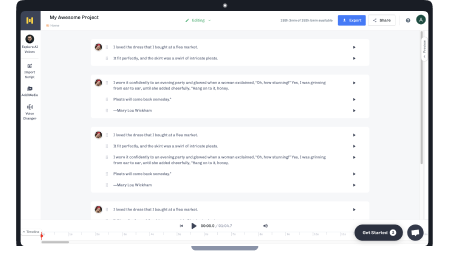
If you're recording your first IVR script or updating an old one, Murf's IVR voice generator turns a script like the ones above into a downloadable audio file in a consistent brand voice, in minutes rather than days. It's a smaller step than picking an entire IVR system built for your call center, and it's the one most teams put off longest. Even the most effective IVR system still depends on a script this clear to do its job. Whichever way you record it, pick the option that fits your business needs today; you can always change it later without touching the script itself.

Frequently Asked Questions
What is an IVR script?
.svg)
An IVR script is the scripted dialogue an interactive voice response (IVR) system reads to callers, guiding them through menu options using their voice or keypad instead of a live agent.
What are the key components of a good IVR script?
Three parts do the real work: the greeting, the main menu, and error handling. The greeting sets the tone, the main menu routes the call, and error handling keeps a caller from getting stuck if they press the wrong key or don't respond at all.
What's the difference between an IVR script and an IVR system?
The script is the wording; the interactive voice response IVR system is the software and phone infrastructure that plays it, routes the call, and processes the caller's input. A good script can't fix a slow or confusing system, and a fast system still needs a script that makes sense.
How long should an IVR script be?
Short. Each menu should take a caller 10-15 seconds to hear and decide on. If reading a menu out loud takes longer than that, it has too many options or too much preamble.
How many menu options should IVR have?
Three or four per layer. Past that, callers start forgetting the earlier options by the time they hear the last one. If you need more choices, add a second layer instead of a longer list.
How do I write an IVR script for my business?
Start with your actual call data: what do people call about most often? Write the top reasons into the first menu, keep the wording plain, and test it with someone who's never heard it before you record anything.
What should an after-hours IVR script include?
Three things: who you are, how to find information without calling back (a website or FAQ page), and exactly how to leave a message that gets a response, including what details to include and when they'll hear back.
Should I use text-to-speech or a voice actor for my IVR recording?
Voice actors give you a fully custom sound but cost more and take longer to update. Text-to-speech is faster to change and cheaper to maintain, which matters more than people expect once you're editing the script for the third or fourth time.
How often should I update my IVR script?
At least twice a year, and any time your hours, departments, or phone numbers change. Call recordings and drop-off data will also tell you where the script is confusing people before a scheduled review would catch it.
Can I offer callers a callback instead of holding?
Yes, and it's one of the more effective options on this list. Offering a callback at the start of a queue message, rather than after several minutes of hold music, reduces abandoned calls and doesn't cost the caller their place in line.
How do self-service options improve customer satisfaction?
They let a caller resolve simple requests, like checking an order status or confirming an appointment, without waiting for a customer support representative. Fewer callers waiting in queue also means shorter hold times for everyone else.
What should an emergency IVR script say?
Lead with the true emergency instruction first, such as directing callers to dial 911 for medical emergencies, before anything else. Keep the rest of the message short: how to reach an on-call contact for urgent but non-life-threatening issues, and when to call back for anything that can wait.