AI Voice Agents for Healthcare Call Center Automation



A patient calling to refill a prescription waits four minutes on hold, gets transferred twice, and hangs up before anyone answers. This is not an isolated bad experience. It's an industry average. The average hold times at healthcare call centers now exceed four minutes, well past the 50-second benchmark set by the Healthcare Financial Management Association, and roughly 30% of patients abandon a call if they wait longer than a minute.
Healthcare call center automation is how healthcare organizations are closing that gap. Rather than hiring their way out of a staffing shortage that has no easy fix, healthcare providers are using AI voice agents and automated workflows to handle the routine tasks that eat up call center capacity this includes, scheduling, insurance checks, medication refill requests, routing.
This blog covers what these AI voice agents actually do, how healthcare organizations implement AI in call center operations, what to measure afterward, and what to check before you sign a contract.
What Healthcare Call Centers Handle Today
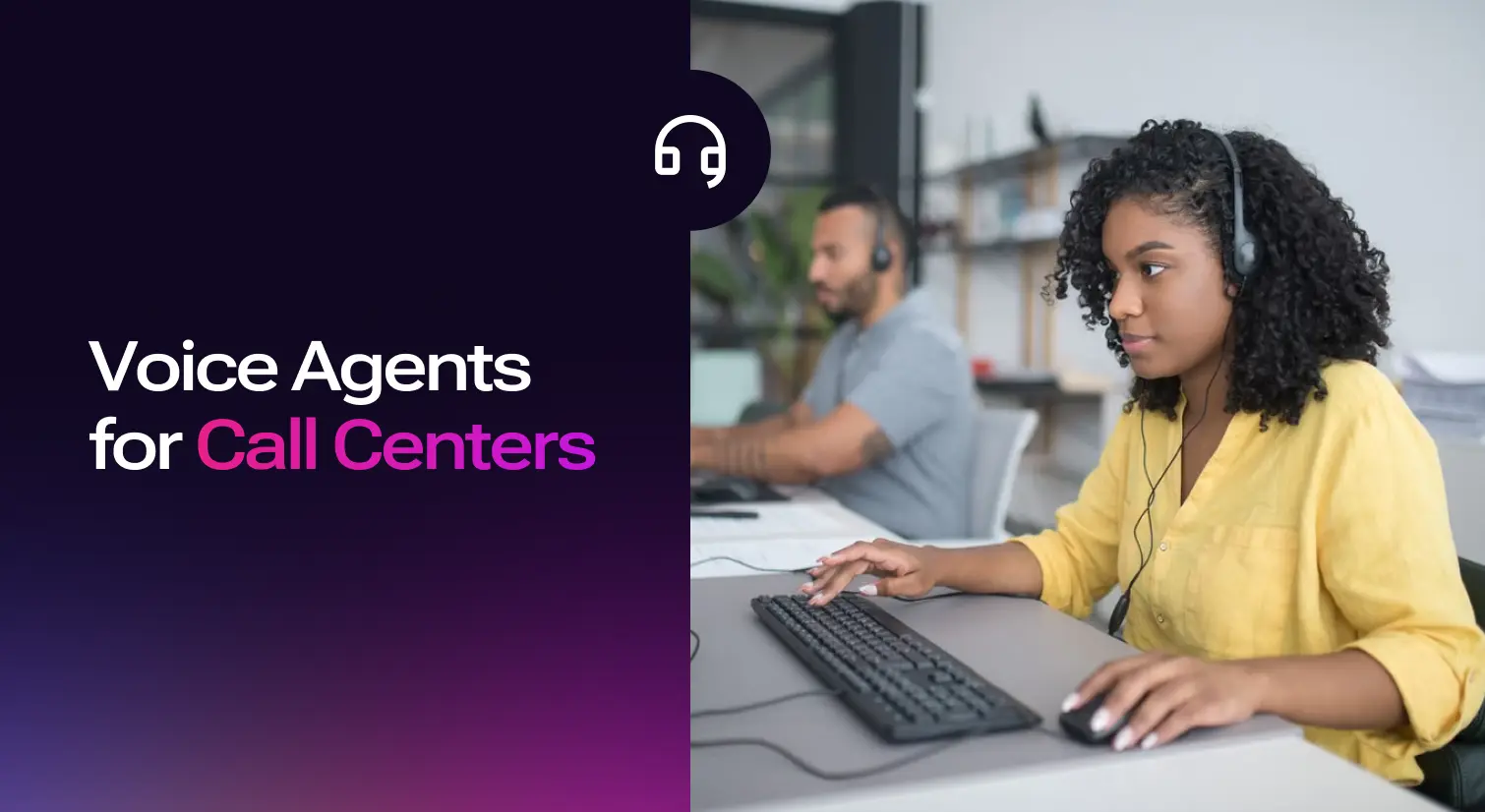
A healthcare call center used to be a back-office function. Now it's the front door to patient engagement, and it carries a lot more weight than most people outside the department realize.
On a typical day, call center agents handle:
- Patient's appointment scheduling and rescheduling
- Medication refill and prior authorization requests
- Insurance coverage and benefits verification
- Billing inquiries and payment support
- Referral coordination between providers
- Follow-up on insurance prior authorization status
- Nurse triage routing based on symptom severity
- Routine patient questions about hours, locations, and provider availability
The complexity isn't in any single task. It's that a single call often spans three or four of these patient requests at once. For example, a patient calling to reschedule also wants to confirm their insurance coverage still applies and ask about a refill while they're on the line. Each added layer means the agent has to navigate the EHR, the payer portal, and an internal messaging system, and every extra system touch adds to handle time and increases the odds of a callback.
Staffing hasn't kept pace with the volume of patient inquiries. Many call centers operate at only 60% of the capacity they actually need, and coverage gets thinnest during evenings and weekends, exactly when patients are most likely to need same-day help. Labor already accounts for close to half of total call center costs, and because volume scales linearly with staffing needs, hiring more people to close the gap gets expensive fast. This is the administrative burden that's pushing so much of the healthcare industry toward automation efforts in the first place.
What is healthcare call center automation?
Healthcare call center automation is the use of technology, most often AI agents, to handle routine calls and administrative tasks in a medical contact center or front desk without a human on the line for every interaction. The goal isn't a headcount cut. It's giving the teams back the hours currently spent on repetitive, low-complexity calls so they can focus on complex cases that need judgment such as, a distressed patient, a complicated billing dispute, a symptom that needs a nurse's read.
Some vendors call this healthcare contact center automation instead, and the two terms describe the same shift. Framed differently, this is what a lot of health systems now call building a "digital front door". It is a set of connected digital channels, scheduling, intake, messaging, and self-service, that let patients get what they need without waiting on hold. Call center automation is the piece of that front door that handles voice specifically, and it matters because a large share of patients still prefer to call rather than use an app or portal, especially for anything that feels urgent. Patients expect the same instant, always-available service from a healthcare provider that they already get from their bank or their retailer, and modern healthcare is starting to catch up to that expectation.
AI agents vs. Traditional IVR and Chatbots
If your last experience with phone automation was an interactive voice response tree ("press 1 for billing, press 2 for scheduling"), it's worth being clear about what's changed.
Traditional IVR systems and basic chatbots follow static scripts. They can route a call based on a keypress, but they can't understand what a patient is actually asking for, hold context across a multi-part request, or take action in another system. 15% of calls misrouted due to poor IVR, that is, sending patients to the wrong queue or department and forcing a second transfer before anyone can actually help them.
AI cuts average hold times by 99%". They retain context across a conversation, interpret natural language rather than requiring menu selections, and connect to the EHR, the scheduling system, and the payer portal to actually complete a task rather than just route the call toward a human who will. A patient can say "I need to move my Tuesday appointment and I think my insurance changed" and the agent handles both parts in one pass, instead of routing to two separate queues. That distinction, intelligent automation instead of a fixed decision tree, is also what closes most of the misrouting gap that plagues legacy IVR systems. Healthcare call centers resolve or deflect over 85% of calls.
How AI Agents Automate Healthcare Call Centers
The highest-impact use cases cluster around a handful of categories. These are the tasks that are high-volume, rules-based, and don't require clinical judgment, which makes them good use cases for automating repetitive tasks without asking an AI agent to do something it shouldn't. Done well, healthcare call centers can resolve or deflect over 85% of these routine calls before they ever need a human agent, which is where most of the center efficiency gains show up. AI can also handle up to 70% more calls per hour than humans. Some of the capabilities of AI agents in healthcare call centers are:
Appointment management
AI agents can schedule appointments, confirm, reschedule, and cancel them directly against the EHR's scheduling module, for both inbound calls and outbound calls used for reminders. This is usually the first workflow healthcare organizations automate, because it's high volume and low ambiguity. It also reduces the number of missed or unconfirmed appointments that turn into a second round of calls later, which improves patient satisfaction as much as it improves staff workload.
Insurance verification
Rather than a staff member calling a payer or navigating a portal manually, an agent can check active insurance coverage, copays, and plan-specific limitations in real time, either to fully automate the eligibility check or to pull the information and hand it to a human agent with the lookup already done. This is one of the more tedious parts of the call center's job, and it's also one of the most error-prone when done manually under time pressure. Automated tools also improve accuracy in data processing on the back end, which cuts down on the denials that come from a coverage detail that was entered wrong or missed during a manual check.
Prior authorization and prescription refills
Instead of routing every refill or prior authentication request to nursing staff, an agent can collect the relevant medication details from the patient and push the request into the existing pharmacy workflow or prior auth queue. This doesn't remove clinical oversight from the process. It removes the administrative collection step that currently sits in front of it.
Triage and routing
Using natural language processing, an agent can capture intent ("I have chest pain" versus "I need a referral") and route accordingly. It can escalate flagged symptoms directly to a triage nurse or emergency guidance, and send non-urgent requests to self-service or a standard intake flow. The routing logic has to be conservative here. Anything ambiguous should by default be transferred to a human, not a guess, especially for complex cases that carry real clinical risk.
Post-visit follow-up
After a visit, an agent can send discharge instructions, satisfaction surveys, or medication reminders by phone, text, or portal message, and flag anything concerning, like a patient reporting worsening symptoms, to the care team. This is proactive outreach and ongoing support that most call centers don't have the staff hours to do consistently today.
Agent assist and quality assurance
Automation doesn't only handle calls end to end. It can also work alongside a human call center agent, summarizing conversations in real time and documenting interactions directly into the patient record so staff aren't typing notes after they hang up. Automated workflows standardize these responses and improve documentation accuracy across the team, and that same data feeds quality assurance, since every call, not just a sampled few, can be reviewed for consistency and compliance.
How to Implement AI in your Call Center
Rolling this out well is less about picking a vendor and more about sequencing the work. Here's the order that tends to hold up in practice for a successful implementation:
- Identify high-impact use cases first: Pull your call data and find out what patients are actually calling about. Patient scheduling, benefits verification, and prior authorization are the usual top three, but confirm it with your own numbers rather than assuming.
- Map the patient flow: Before automating anything, walk through every step a patient takes when they call such as, what they're asked, what systems the agent checks, where handoffs happen. This surfaces the bottlenecks and redundant manual processes you'd otherwise automate as-is.
- Choose and configure the AI agent: Select a platform built for healthcare workflows, define the dialogue flow for your chosen use case, and decide the escalation rules for when a call should go to a human instead.
- Integrate with the EHR and telephony stack: This is the step that determines whether the agent can actually do anything or just talk. Without EHR integration, an agent can have a conversation but can't check a schedule, confirm coverage, or write anything back. Look for confirmed integrations with the systems you already run, commonly Epic, Cerner, or athenahealth.
- Test before a full launch: Run the agent against real call scenarios, including edge cases and ambiguous requests, before it takes live patient calls unsupervised.
- Train staff as partners, not bystanders: The rollout works better when staff see automation as something that removes the worst part of their job, not something coming for their job. Give them time with the system before go-live and a clear escalation path so they trust what happens when a call gets handed to them.
A phased rollout, one use case at a time, consistently outperforms trying to automate everything at once. It's easier to prove value, easier to fix what doesn't work, and easier to get staff buy-in for the next phase. Initial AI call center implementation costs typically range from $150,000 to $700,000 depending on scope, the number of use cases, and how deep the EHR integration needs to go, so a phased approach also spreads that investment instead of committing it all up front.
Metrics and KPIs to track
Once automation is live, these are the key metrics that tell you whether it's actually working, not just running.
AI-powered call center agents can also handle up to 70% more calls per hour than a human team working the same queue, which is the main reason automation can absorb high call volumes without a matching increase in headcount. Taken together, healthcare organizations that automate well typically see operational costs drop by 20% to 40%, mostly from reduced labor hours and fewer repeat calls caused by errors or missed callbacks.
Track these before automating anything, so you have a baseline, and again at 30, 60, and 90 days post-launch. Automation that looks good on paper but doesn't move these numbers within a quarter is a sign the use case selection or integration needs a second look, not that automation itself failed.
Data Security and HIPAA Compliance
Any platform touching patient calls has to be HIPAA compliant, and it's worth understanding what that actually requires rather than treating "HIPAA compliant" as a checkbox on a vendor's homepage.
At minimum, look for:
- A signed Business Associate Agreement (BAA): This is the legal contract that makes the vendor contractually responsible for protecting patient health information under HIPAA. If a vendor won't sign one, that's a disqualifying answer, not a negotiating point.
- Encryption in transit and at rest: Patient data, including call recordings and transcripts, needs to be encrypted both while it's moving between systems and while it's stored.
- Access controls: Only authorized personnel and systems should be able to view or query sensitive call data, with logging that shows who accessed what and when.
- Secure patient communications: Automated systems used for messaging, reminders, or follow-up need to provide secure messaging channels, not plain SMS or email carrying protected health information in the clear.
These aren't optional extras layered on top of a good automation platform. They're the baseline that determines whether you can deploy the platform at all in a clinical setting.
Choosing the Right Healthcare Call Center Automation Solution
The healthcare call center software and solutions market has gotten crowded, which makes evaluation harder, not easier. A few criteria consistently separate platforms that deliver real operational efficiency from ones that create new problems:
EHR integration depth: A platform that can talk to a patient but can't write back to the EHR is a chatbot with better manners, not an automation solution. Confirm the integration is bidirectional and covers scheduling, not just read access.
Escalation design: Ask exactly how and when a call routes to a human. Vague answers here are a warning sign, since ambiguous escalation logic is where patient safety risk shows up first.
Evidence, not just claims: Ask for outcomes from comparable deployments such as, hold time reductions, call abandonment rate changes, FCR improvements, ideally from a health system of similar size and specialty mix to yours.
Omnichannel consistency: Patients contact health systems by phone, text, and web chat, often within the same episode of care. A platform that only handles voice will need a second system for the rest, which reintroduces the fragmentation automation is supposed to remove.
Ongoing support after launch: Implementation isn't a one-time project. Look for a vendor that provides ongoing support, model tuning, and reporting after go-live, not just a handoff once the contract is signed.
This evaluation applies whether you're comparing dedicated healthcare call center software, a broader contact center platform with healthcare features, or a voice AI vendor building the agent layer on top of your existing telephony. The criteria don't change; only the vendor category does. This is also where revenue cycle management teams should have a seat at the table, since insurance verification and prior auth automation both flow directly into billing accuracy and denial rates downstream.
Murf AI Agents and Call center Automation
If you'd rather not build this yourself, Murf's AI voice agents handle healthcare call center conversations end to end, in 35+ languages, designed and continuously refined by Murf's agent designers and forward-deployed engineers rather than left as a one-time setup. A few things that come with that:
Conversation design built around your call center's actual workflows: Conversation flow and turn-taking are customized, responses are grounded in your own knowledge base, policies, and FAQs through RAG, and workflows like scheduling or intake are built to match your process rather than run off a generic script.
Sub-800ms response latency: Calls run on Murf Falcon, Murf's own low-latency TTS API, built to handle interruptions and keep turn-taking natural instead of leaving dead air on the line, so patients aren't left wondering if the call dropped.
Real-time actions during the call, not after it: The agent can pull patient information, update clinical systems and CRM records, book or reschedule appointments, and trigger follow-up calls, texts, or emails, all while the call is still happening rather than as a separate step afterward.
Built for the compliance bar healthcare requires: Two-factor authentication, role-based access, and end-to-end encryption in transit and at rest, backed by SOC 2, ISO 27001, GDPR, and HIPAA compliance.
Murf reports a 40% average reduction in cost-to-serve and a 30% increase in CSAT scores across its voice agent deployments, spanning healthcare, finance, retail, real estate, and customer support, and is used by teams at companies including Pfizer, Cisco, Splunk, and Honeywell.
The Future of Healthcare Call Centers
Healthcare call centers aren't going away, and neither is the pressure they're under. Staffing shortages, rising call volumes, and higher patient expectations aren't solving themselves, and hiring alone doesn't scale at the rate call volume grows. AI agents give healthcare organizations a way to absorb that volume without adding headcount, freeing call center teams to spend their time on the patient interactions that actually need a person. Start with the use case your call data says is costing you the most, integrate it properly with your EHR, and measure it honestly before expanding to the next one.

Frequently Asked Questions
What is healthcare call center automation?
.svg)
Healthcare call center automation is the use of AI agents and related technology to handle routine calls and administrative tasks, like patient scheduling, insurance verification, and refill requests, in a medical contact center without a human handling every call. It's meant to reduce hold times and free staff for complex, judgment-heavy patient interactions, not to replace the call center entirely.
How is an AI agent different from a traditional IVR or chatbot?
Traditional IVR systems route calls based on keypad menus and can't understand free-form speech, and they misroute as much as 15% of calls as a result. Basic chatbots follow scripted decision trees. AI agents understand natural language, retain context across a conversation, and connect directly to systems like the EHR and payer portals to complete tasks rather than just route the caller toward someone who can.
What tasks can AI agents automate in a healthcare call center?
The highest-impact use cases are patient scheduling, insurance eligibility verification, prior authorization intake, medication refill requests, triage and intent-based routing, and post-visit follow-up like discharge instructions and satisfaction surveys.
Is healthcare call center automation HIPAA compliant?
It can be, but compliance depends on the vendor, not the category of technology. Look for a signed Business Associate Agreement, encryption of patient data in transit and at rest, secure messaging for patient communications, and documented access controls with audit logging. A vendor that won't provide these isn't a safe choice regardless of how capable the AI itself is.
How long does it take to implement healthcare call center automation?
Timelines vary by scope and how complex your EHR integration is, but a pilot focused on a single use case, like appointment scheduling, can often go live in a few weeks rather than months, especially with a platform that has pre-built healthcare workflows and a vendor that offers hands-on support through the rollout.
Does automation replace call center staff?
The goal is augmentation, not replacement. Automating high-volume, repetitive calls frees call center agents to handle the complex, sensitive, or ambiguous calls that genuinely need a person, and most healthcare organizations deploying this technology report redeploying staff to higher-value work rather than cutting headcount.
Can AI agents integrate with EHR systems like Epic or Cerner?
Yes, for platforms built specifically for healthcare workflows. EHR integration is what allows an agent to actually check a schedule, confirm coverage, or write updates back to the patient record rather than just having a conversation with no ability to act. Confirm integration depth and directionality before selecting a vendor.
What KPIs should I track after automating my call center?
Track Average Wait Time, call abandonment rates, Average Handle Time, First Call Resolution, transfer rate, and CSAT, starting with a baseline before automation goes live and checking again at 30, 60, and 90 days post-launch.
What's the difference between healthcare call center automation and a digital front door?
A digital front door is the broader set of connected patient-facing digital tools, scheduling, intake, messaging, and care navigation, that a health system uses across the entire patient journey. Healthcare call center automation is the piece of that front door focused specifically on voice interactions. Most health systems building a digital front door treat call center automation as one of its core components, not a separate initiative.
How much does healthcare call center automation cost?
Cost varies widely by vendor, deployment scope, and call volume. Initial implementation typically runs from $150,000 to $700,000 depending on how many use cases you automate and how deep the EHR integration goes, and most vendors quote based on usage or a per-seat/per-agent model rather than a flat rate. Get a quote scoped to your specific use cases and call volume rather than relying on published starting prices, which rarely reflect what a healthcare-grade, EHR-integrated deployment actually costs.