How to Use AI to Make Podcast Clips: Step-By-Step Guide


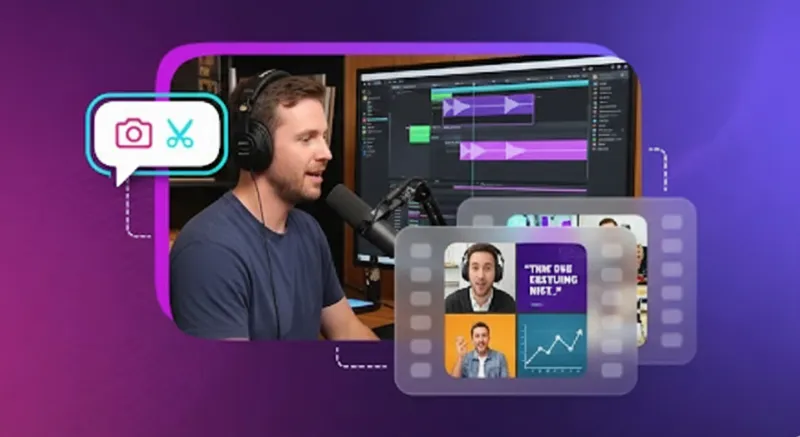

In this guide, you’ll learn how to use AI to make podcast clips from hours-long episodes. AI finds the best moments automatically. It adds captions and formats for TikTok, Reels, and Shorts. And the best part is that none of those tasks require manual intervention.
Podcast clips are short, engaging snippets, typically 30-90 seconds long. They are designed to grab attention, showcase your best moments, and redirect potential listeners to full episodes. This matters because 85% of social media viewing happens without sound, requiring captions and visual hooks to engage wider audiences.
AI-powered tools eliminate manual editing that once took hours per clip.
This guide covers why AI clips work, step-by-step workflows for both audio and video podcasts, top tools from free to premium, and optimization strategies to maximize your podcast's reach across social media platforms.
Audio Podcasts and Video Podcasts: What Changes with AI Clip Tools
The type of podcast content you create determines which AI features you'll use most. Audio-only podcasters need tools that generate audiograms, while video podcasters benefit from auto-detection and vertical reframing capabilities.
Both formats can create engaging clips for social media platforms.
Audio-Only Podcasts
Audio podcast hosts without video setups can use AI-powered tools to generate audiograms—visual representations of podcast audio with animated waveforms, static images, or dynamic backgrounds.
Tools like Descript, Flowjin, and Headliner convert podcast audio into shareable clips by adding visual elements that make audio content suitable for Instagram Reels, TikTok, and YouTube Shorts. These AI tools automatically sync waveforms to your audio, add captions for accessibility, and format clips in the correct aspect ratio for each social media platform.
You can customize branding elements like colors, fonts, logos, and background images to maintain consistency across your podcast clips. Audiograms work incredibly well for quote clips, key moments, or episode highlights that don't require video footage.
This approach lets podcasters tap into visual social media reach without investing in cameras or video editing experience.
Video Podcasts/Interview-Style Podcasts
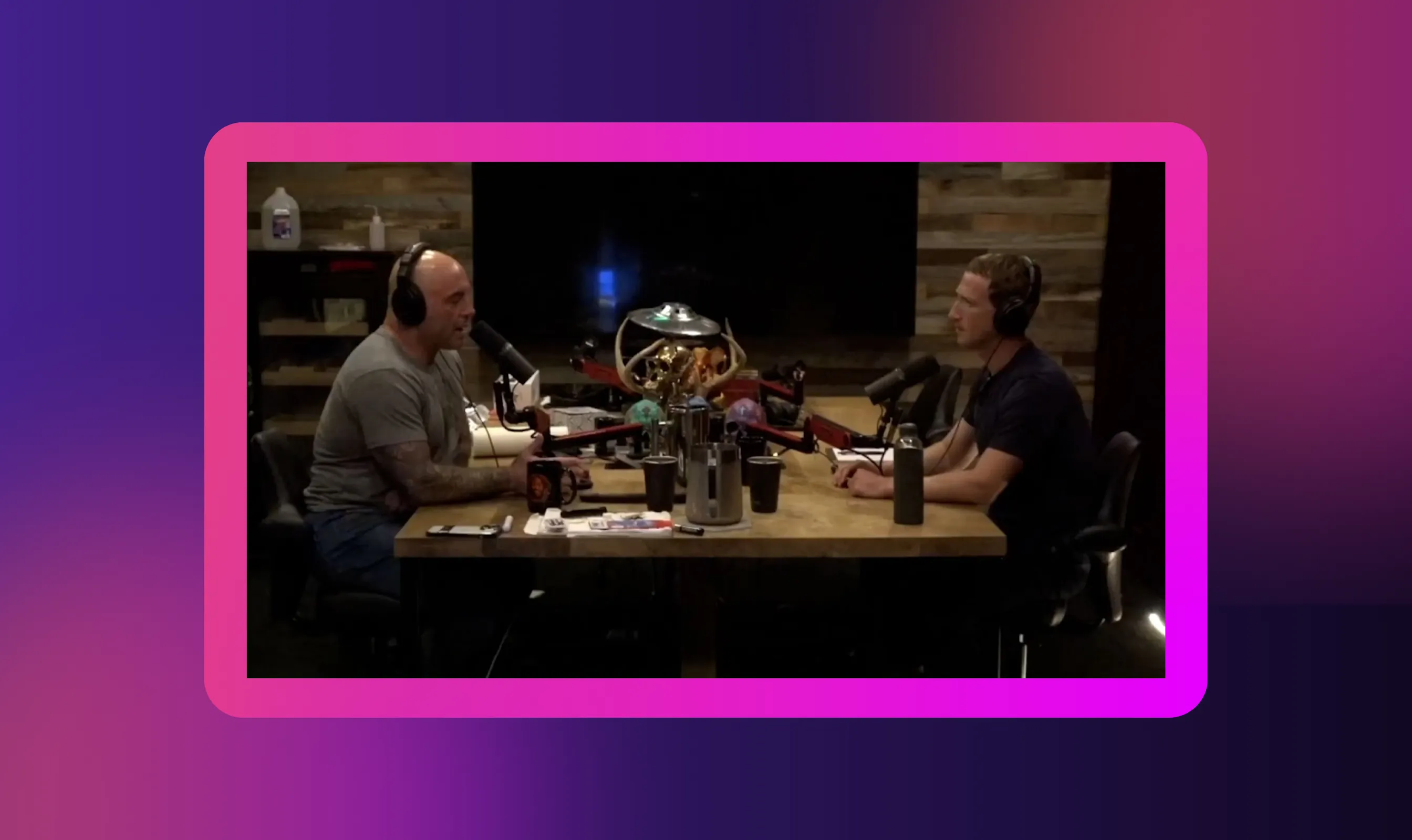
Video podcasts benefit from advanced AI podcast clip generators that automatically analyze footage to detect engaging segments. Tools like OpusClip, Riverside, and Vizard identify best moments based on emotional peaks, guest reactions, interesting questions, or viral potential.
The AI podcast clip tools automatically trim specific segments, add captions with speaker identification, and reframe horizontal video for vertical formats required by Instagram Reels and YouTube Shorts.
This reframing intelligently follows the active speaker, keeping faces centered even when converting from 16:9 to 9:16 aspect ratio. Video podcasts with guest interviews, panel discussions, or visually rich content perform exceptionally well because viewers see facial expressions and reactions that audio alone can't capture.
AI tools fine-tune transitions, add auto-generated captions, and export multiple short video clips from a single full episode within minutes.
How to Use AI to Make Podcast Clips: Step-by-Step Workflow
This workflow shows you exactly how to create clips out of a podcast using AI automation. Following these steps ensures you produce high-quality shareable clips that engage audiences across social media platforms. The process works for both audio and video podcast content.
Step 1: Prepare Your Source Content (Audio or Video File)
Export your podcast episode as a high-quality audio file (MP3, WAV) or video file (MP4, MOV), depending on your format. Clean your podcast audio before upload by removing background noise, balancing levels, and ensuring clear audio throughout.
Better input quality produces better AI-generated clips because the algorithms detect key moments more accurately when the audio is crisp. For video podcasts, ensure proper lighting and framing since AI tools will crop and reframe your footage for vertical formats.
Check that your file size meets the tool's upload limits—most AI podcast clip generators accept files up to 2-5GB. Save your source file in an accessible location before starting the upload process. Quality preparation at this stage saves time during editing and produces more engaging clips that resonate with new listeners.
Step 2: Choose the Right AI Clip Generator Tool
Evaluate AI podcast clip generator tools based on features that match your needs. Look for auto-highlight detection that identifies standout moments without manual tagging. Check if the tool offers automatic caption generation with customizable styles and accurate speaker identification.
Verify that the tool supports your required aspect ratio exports: vertical (9:16) for Instagram Reels and TikTok, horizontal (16:9) for YouTube, or square (1:1) for Twitter and Facebook. Consider whether you need audiogram creation for audio podcasts or video editing capabilities for podcast video content.
Review pricing models; some tools offer free tiers with limitations, while paid versions provide unlimited clips and advanced features. Test the tool's export quality and rendering speed, as some AI-powered tools process clips faster than others.
Step 3: Upload and Let AI Analyze to Detect Key Moments or Highlights
Upload your podcast episode to your chosen AI podcast clip tool and let the algorithm analyze the content. The AI scans your full episode to identify moments with high engagement potential based on emotional peaks, interesting questions, humor, or strong statements.
Tools like OpusClip assign a "Virality Score" to each detected clip, helping you prioritize which clips to post first. The analysis typically takes 5-15 minutes, depending on the episode length and the platform's processing speed. AI algorithms detect speaker changes, applause, laughter, or topic transitions that signal engaging segments worth highlighting.
Some tools, like Descript, use transcript analysis to find "good clips" based on conversational flow and content density. Once processing completes, you'll see a list of suggested clips, each automatically generated and marked with timestamps and preview thumbnails.
Step 4: Review and Refine Clips (Edit, Add Captions/Subtitles, Adjust Length or Crop)
Always preview AI-generated clips before publishing because algorithms sometimes miscut, mistime transitions, or miss contextual nuances. Edit clip boundaries to ensure they start with a hook and end cleanly without awkward cutoffs.
Add captions or subtitles to every clip, this is essential since 85% of social media viewers watch without sound. Customize caption styles with your brand colors, fonts, and positioning for consistency.
Adjust clip length based on platform requirements: 15-30 seconds for TikTok, 30-60 seconds for Instagram Reels, up to 90 seconds for YouTube Shorts. Fine-tune the framing for video podcasts to ensure faces stay centered when converting to vertical format.
Remove filler words, long pauses, or irrelevant content that doesn't grab attention. Test different clip variations to see which hooks perform best with your audience.
Step 5: Export and Publish for Social or Podcast Promotion
Export your podcast clips in platform-specific formats to maximize engagement. Choose vertical 9:16 aspect ratio MP4 files with embedded captions for Instagram Reels, TikTok, and YouTube Shorts. Download horizontal or square formats if posting to YouTube main feed, Twitter, or Facebook.
Most AI tools offer social-ready presets that automatically optimize resolution, file size, and format for each platform. Upload clips as episode teasers to attract potential listeners back to your full episode. Use clips as standalone content to grow your audience on social media platforms where your podcast might not be discovered otherwise.
Schedule posts consistently across multiple platforms to maximize your podcast's reach. Add clear calls-to-action directing viewers to listen to the complete episode on your podcast host platform.
Why AI Podcast Clips Are a Game-Changer for Podcasters
Short video clips have become essential for podcast content discovery in today's algorithm-driven social media landscape. Podcast clips attract attention on platforms where your full episode would never appear, redirecting potential listeners back to your complete episodes.
AI podcast clip generators reduce editing time from hours to minutes; what once required professional video editing experience now happens automatically. Instead of manually scrubbing through hours-long episodes to find the best moments, AI identifies and creates engaging clips in 5-15 minutes.
This efficiency lets podcasters consistently post across Instagram Reels, TikTok, and YouTube Shorts without hiring social media managers. Clips improve discoverability because social algorithms favor short, engaging content that keeps viewers on the platform.
One viral clip can bring thousands of new listeners who would never have found your podcast through traditional search.
Top AI Tools for Podcast Clip Creation (2026)
What to Look for When Choosing an AI Podcast Clip Tool
Evaluate these essential features when selecting an AI podcast clip generator for your workflow:
- Clip Detection Accuracy: Test how well the tool identifies standout moments versus random segments. Quality AI should recognize emotional peaks, engaging questions, and natural conversation breaks.
- Editing Flexibility: Ensure you can adjust clip boundaries, fine-tune transitions, and manually override AI suggestions when needed. Tools with rigid automation limit creative control.
- Export Options: Verify support for multiple aspect ratios (9:16 vertical, 16:9 horizontal, 1:1 square) and audio formats suited to different social media platforms.
- Caption Features: Look for automatic caption generation with customizable fonts, colors, and positioning. Speaker identification adds value for interview podcasts.
- Audio Cleanup: Check if the tool includes noise removal, volume normalization, and enhancement to create high-quality audio in your clips.
- Processing Speed: Compare how long different tools take to upload and analyze your full episode.
- Pricing Structure: Evaluate free tiers, credit systems, and unlimited plans against your content creation volume.
Best Practices and Tips for Maximum Impact: From Clip Creation to Audience Growth

Creating engaging podcast clips requires more than just using AI tools; strategic optimization determines which clips attract new listeners and which get ignored.
These best practices help you maximize engagement across social media platforms and convert viewers into dedicated podcast listeners. Minor refinements in your approach significantly increase your podcast's reach.
Use Captions and Subtitles
Add captions to every podcast clip because 85% of social media viewing happens without sound. Captions improve accessibility and boost engagement for viewers in sound-sensitive environments. AI podcast clip generators automatically generate accurate captions, saving you time.
Customize caption styles with consistent fonts, colors, and positioning to match your brand. Test different placements and ensure captions are large enough to read on mobile devices, where most consumption happens. Well-styled captions significantly increase watch time and engagement rates.
Hook Early
Choose clips that grab attention within the first 3 seconds with interesting questions, strong statements, humor, or controversial takes. Social media algorithms reward immediate viewer retention, so avoid slow buildups.
Select moments where your host or guest makes compelling claims, asks thought-provoking questions, or delivers punchlines. Edit out introductory phrases and jump straight to the core idea. Each clip should work as standalone content without requiring background knowledge. Test different hook styles like surprising statistics, relatable problems, or bold predictions.
Platform-Specific Optimization
Format clips specifically for each platform. Use vertical 9:16 for Instagram Reels, TikTok, and YouTube Shorts. Use horizontal 16:9 or square 1:1 for YouTube main feed, Facebook, and Twitter. Adjust length by platform: TikTok favors 15-30 seconds, Instagram Reels performs best at 30-60 seconds, and YouTube Shorts allows up to 60-90 seconds.
Tailor captions, thumbnails, and descriptions to match each platform's culture and algorithmic preferences. Post the same clip across multiple platforms using platform-appropriate formats.
Diversify Clip Types
Create variety to reach different audience segments. Mix promotional teasers with standalone content that provides complete value. Extract powerful quotes, highlight funny moments, share emotional stories, and produce educational nuggets with actionable tips.
Different clip types appeal to different viewers - some respond to humor, others prefer learning or inspiration. Rotating through various styles keeps your content fresh and helps you discover what resonates most with potential listeners.
Add Multilingual Versions Using Murf Translation
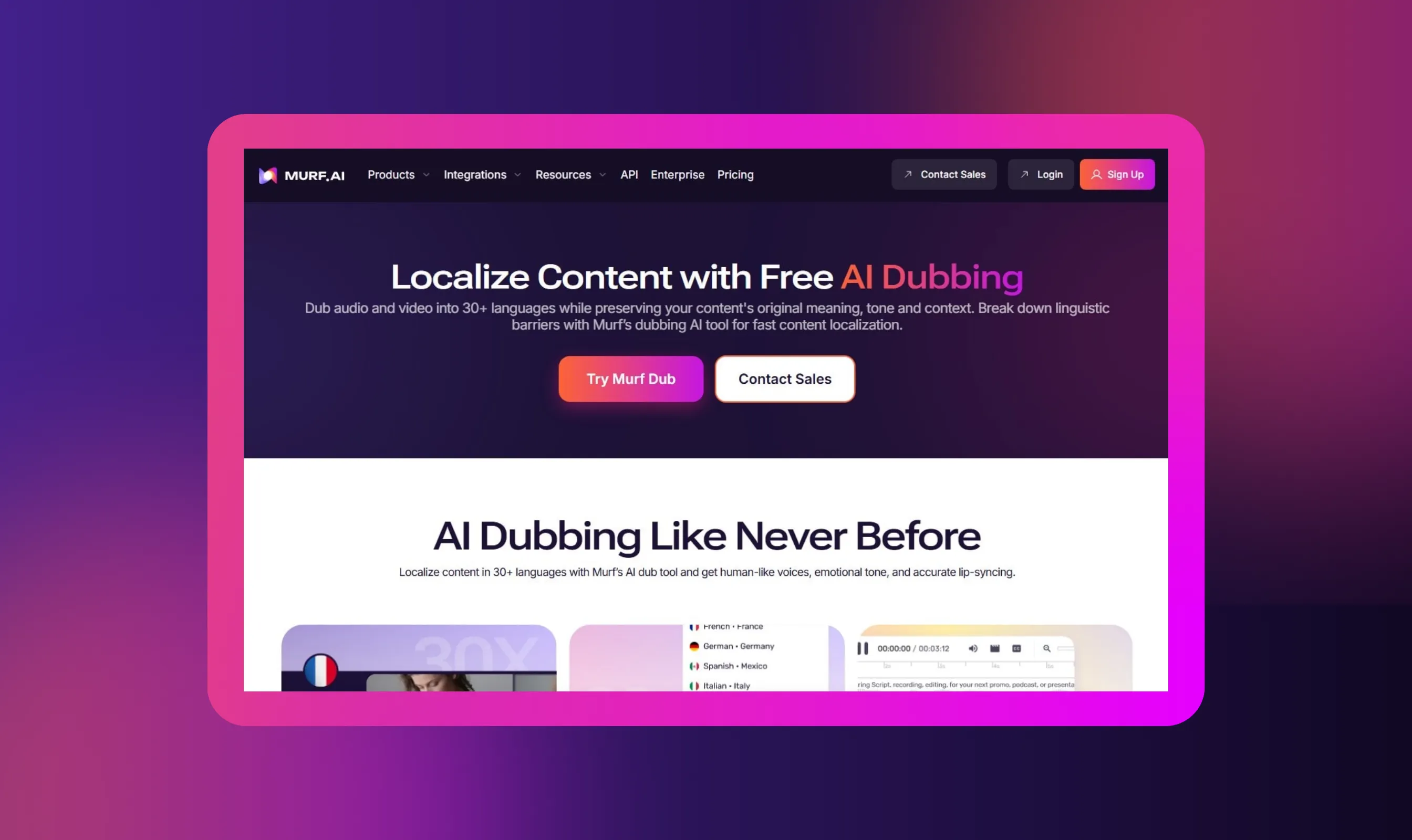
Expand your podcast's reach to international audiences by creating multilingual versions of your best clips using Murf's AI dubbing technology. Murf's voice translator converts podcast clips into 35+ languages while maintaining your original tone and delivery style.
Prioritize languages based on your content type: Spanish and Portuguese for business podcasts targeting Latin American markets, German and French for European audiences, or Hindi and Japanese for Asian listeners.
For video podcasts, Murf maintains lip-sync timing so translated audio matches visual mouth movements naturally. Translated clips increase discoverability because they appear in search results and recommendations for non-English speakers who would never find your original content.
Start by translating your highest-performing clips to test which languages drive the most engagement. Multilingual social media clips unlock additional revenue opportunities and help you build global audience segments that traditional English-only content cannot reach.
Conclusion
AI podcast clip generators transform how podcasters repurpose content, turning hours-long episodes into engaging clips in minutes instead of hours. You don't need deep video editing experience to create professional podcast clips; AI handles highlight detection, trimming, captions, and formatting automatically.
These tools let you create videos optimized for Instagram Reels, TikTok, and YouTube Shorts without manual work. Experiment with different AI podcast clip tools to find which features match your workflow best.
Start by uploading your best full episode, reviewing the AI-generated clips, refining them with captions, and posting consistently across social media platforms. Each clip extends your podcast's reach to potential listeners who might never discover your show through traditional channels.
Stop letting great podcast content sit unshared, use AI to create podcast clips today and grow your audience systematically.


Frequently Asked Questions
Do I need a video version of my podcast to use AI clip tools?
.svg)
No, most AI podcast clip tools work with audio-only files. Upload your MP3, WAV, or AAC file to create audiograms that combine audio with animated waveforms, captions, and background images for social media. Video podcasts unlock additional features like active speaker detection and dynamic layouts.
Are AI-generated clips good enough for social media, or do they require manual editing?
AI-generated clips are social media-ready, but most creators review and customize them before posting. The AI identifies engaging moments and adds captions accurately, while built-in editors let you trim boundaries, adjust caption styles, switch layouts, or add branding. Many podcasters use AI clips directly with minimal tweaks.
Can I use AI to summarize a podcast?
Yes, AI tools summarize podcasts by transcribing audio and extracting key points and insights. Upload the file or provide the podcast URL, and the AI generates a concise summary in minutes. These summaries help listeners understand episode content quickly and improve discoverability through show notes and chapter markers.