How to Transcribe Instagram Reels: Step-By-Step Guide



Transcribing Instagram Reels lets you combine the engagement of video content with the discoverability of text content. Text that search engines can easily index, screen readers can access, and global audiences can easily understand.
Over 80% of users watch videos with sound off, making captions essential for engagement. You can repurpose transcripts into blog posts, social media summaries, and multilingual content to reach a global audience.
This guide shows you how to transcribe Instagram Reels using manual methods, AI tools, and hybrid approaches. You'll learn the pros and cons of each technique, along with step-by-step instructions, recommended tools, and best practices for achieving accuracy.
Overview of Methods to Transcribe Reels: Manual vs. Automated vs. Tools
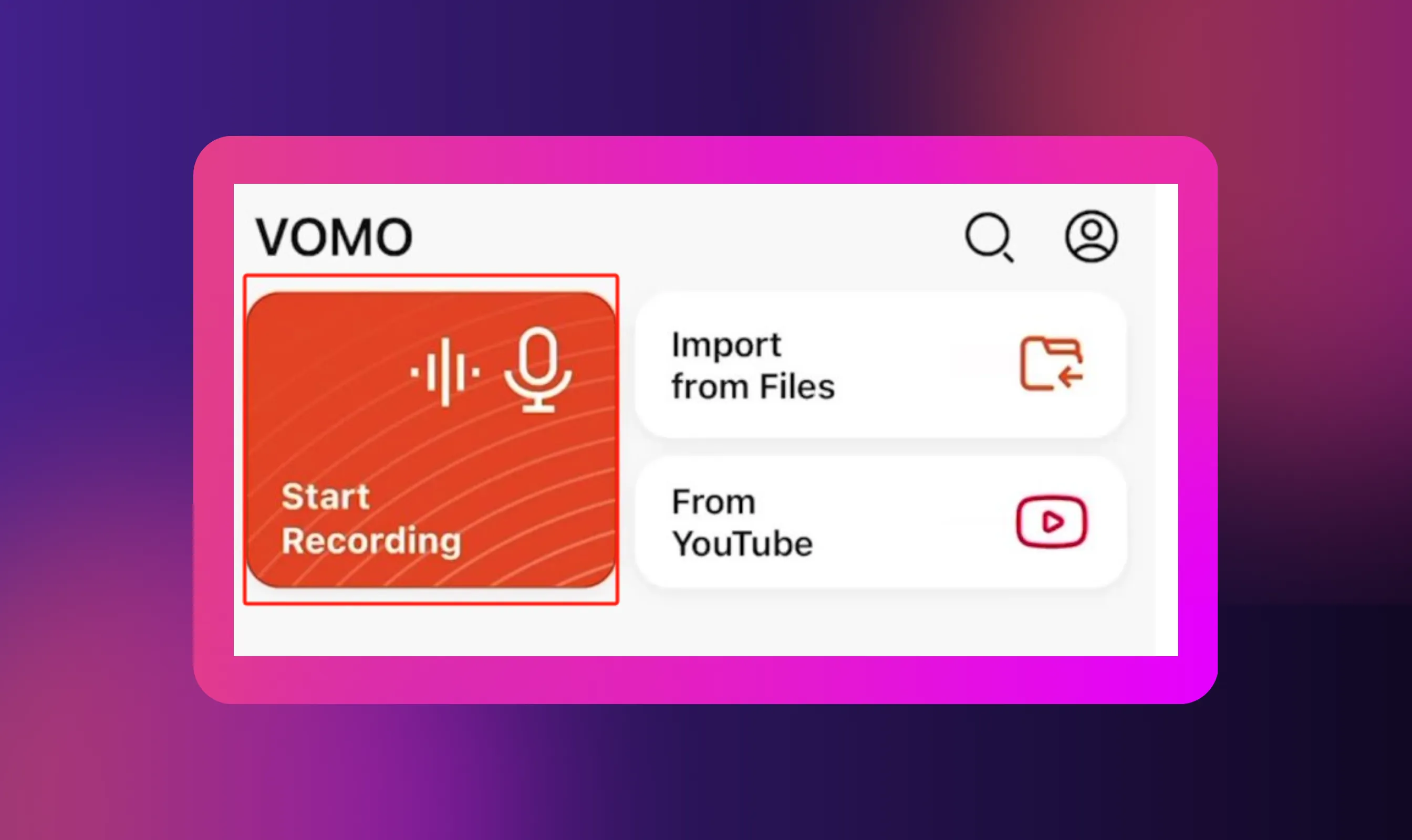
You have three main options for transcribing Reels: doing it manually yourself, using AI-powered transcription tools, or combining both approaches. Each method has distinct advantages depending on your video content, accuracy needs, and time constraints.
Manual Transcription (DIY)
Manual transcription involves downloading your Instagram video, playing it back, and typing out every word yourself. You'll need a text editor, good headphones, and patience to pause, rewind, and accurately capture the speech. This method delivers high accuracy, 95-100%, when done carefully.
The DIY approach works best for short-form videos or when you only have a few Reels to transcribe. It's particularly useful when your Reel has heavy background noise, multiple speakers talking over each other, or technical jargon that AI tools might misinterpret.
The biggest downside is time. Manual transcription takes roughly four times longer than the actual video length. If you're working with multiple Reels or longer Instagram content, this method can quickly become impractical.
Automated Transcription using AI-Powered Tools
AI-powered transcription tools let you upload a video file or paste an Instagram link to automatically transcribe your Reel within minutes. Services like VOMO, Clideo, and ScreenApp analyze the audio and generate transcripts using speech recognition technology.
These tools excel at speed and scalability. You can transcribe Instagram Reels in bulk, process longer videos without fatigue, and save time on repetitive work. Most platforms support multiple languages, making them ideal for reaching a global audience.
However, accuracy depends on audio quality. Reels with background music, accents, or noisy environments may produce errors that require cleanup. AI tools typically achieve 80-95% accuracy under good conditions. You'll often need to review and edit the output, especially for content that needs precise wording or includes speaker labels for multiple speakers.
Hybrid Approach: Automated + Manual Review
The hybrid method combines the speed of AI tools with human precision. You start by using an automated transcription tool to generate a base transcript, then manually proofread and correct mistakes, adjust timestamps, fix formatting, and add speaker labels where needed.
This approach offers the best balance for most creators. AI handles the heavy lifting while you focus on quality control and catching errors the platform missed. You save time compared to pure manual transcription while achieving higher accuracy than relying solely on automation.
The hybrid workflow is particularly effective for professional content, educational Reels, or videos destined for repurposing across different platforms. You get accurate text that's ready to export as captions, subtitles, or post summaries without extensive rework.
A Step-by-Step Guide: How to Transcribe an Instagram Reel
Follow these five steps to convert any Instagram Reel into an accurate transcript. Whether you choose manual typing or automated tools, this process ensures you capture every word cleanly.
Step 1: Obtain the Reel Video (Download or Link)
For your own Reels, tap the three dots on your Instagram post and select "Download" to save the file directly to your device. For public Reels from other creators, you can copy the Instagram link by tapping "Share" and selecting "Copy Link."
Many transcription tools accept both video files and Instagram video URL links, so check your chosen platform's requirements before downloading. Some services like VOMO and Clideo let you simply copy and paste the Instagram link directly without downloading anything.
Keep copyright considerations in mind. You can freely transcribe your own content, but downloading and transcribing other creators' Reels requires permission unless you're using it for personal accessibility needs. Always respect intellectual property rights and Instagram's terms of service when working with content you don't own.
Step 2: Choose Your Transcription Method (Manual or Tool-Based)
If you're going the manual route, gather your tools: a reliable text editor (Google Docs, Microsoft Word, or Notes), quality headphones for clear audio, and video playback software that lets you easily pause and rewind.
.webp)
For automated transcription, decide between free and premium plans based on your needs. Free tools like VOMO and ScreenApp work well for basic Instagram transcription tasks, while premium plans offer features like speaker labels, higher accuracy, and batch processing.
Before you upload, check your reel's audio quality. Clear speech with minimal background noise produces the most accurate results. If your video has heavy music or multiple speakers, expect to spend more time editing, regardless of which AI tool you choose. Consider using a video translator if your Reel contains multiple languages that need separate handling.
Step 3: Transcribe/Upload to Tool and Run Transcription
For automated tools, upload your video file or paste your Instagram link into the transcription platform. Select your language from the options (most tools support multiple languages for global reach), then click the transcribe or generate button to start processing.
The platform will analyze the audio and automatically transcribe the speech into text, typically within 2-5 minutes, depending on video length. You can often see real-time progress as the AI tools process your content.
For manual transcription, play your Reel and type what you hear word for word. Pause frequently to keep up with the speech pace. Use keyboard shortcuts to control playback speed, which helps you maintain accuracy without constant rewinding. This method requires focus but gives you complete control over every word and format decision.
Step 4: Review and Edit Transcript
Never skip the review step, even with high-accuracy tools. Background noise, accents, technical terms, and music can cause transcription errors that change your content's meaning. Read through the entire transcript while playing the video to catch mistakes.
Add speaker labels if your Reel features multiple speakers or interview segments. Include proper punctuation, paragraph breaks, and formatting to make the text readable. If you're creating captions or subtitles, verify that timestamps align correctly with the spoken words.
Pay special attention to names, brand mentions, technical jargon, and numbers, as AI tools often misinterpret these. Clean up filler words like "um" and "uh" unless you need a verbatim transcript. Similar to how to transcribe a podcast, breaking longer content into logical sections improves readability and makes the transcript more useful for repurposing.
Step 5: Export/Use the Transcript
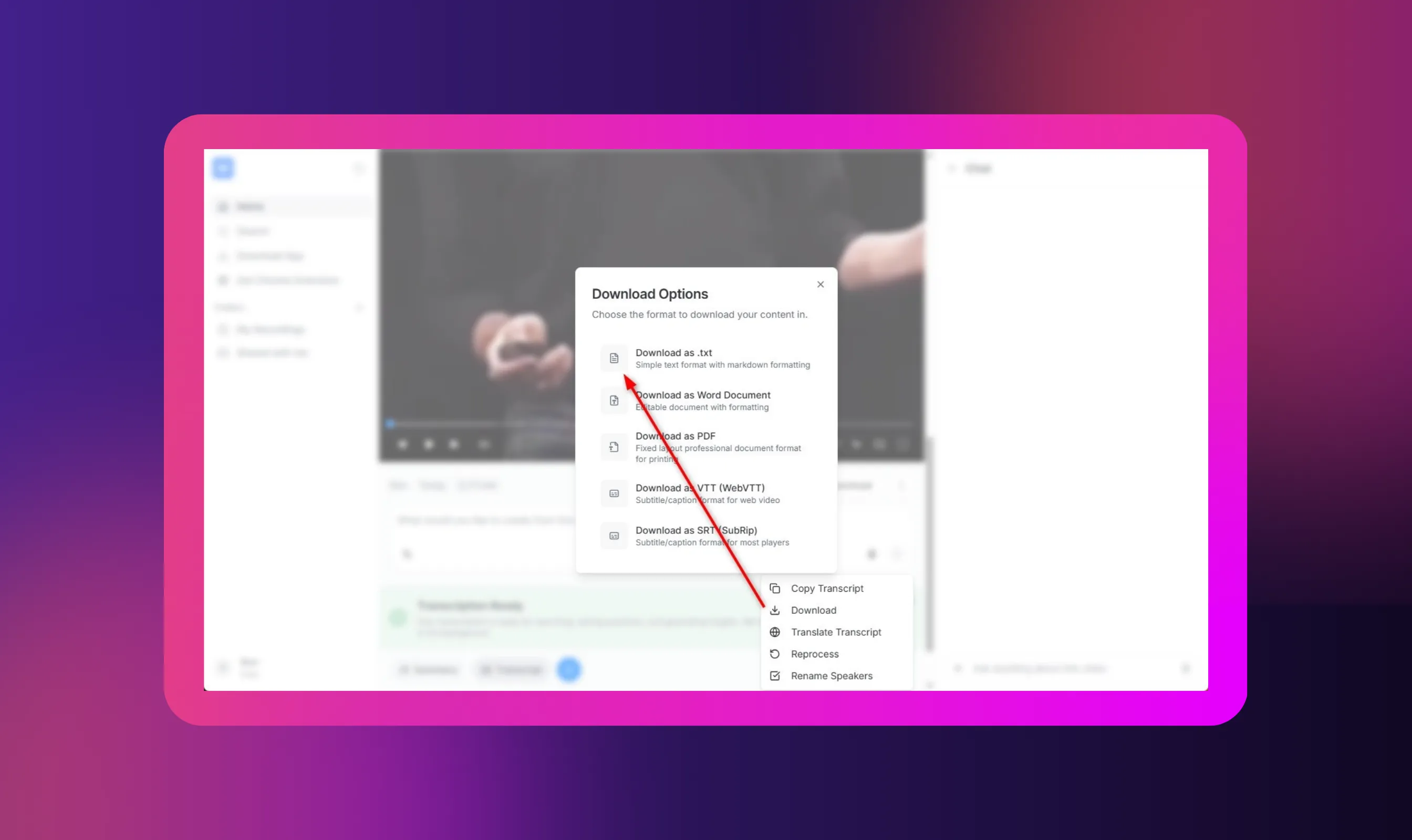
Once you've finalized your edits, export the transcript in your preferred format. Most tools offer plain text files for blog posts and summaries, or subtitle files (SRT/VTT format) for adding captions back to your Reels or other video content.
You can repurpose your transcript in multiple ways. Upload it to create captions for accessibility, paste it into blog posts to boost SEO, share key points as social media summaries, or translate it using an audio translator to reach international audiences. The text makes your Instagram content accessible to search engines and users who prefer reading over watching.
Store your transcripts in an organized system like Google Drive for easy access later. These files become valuable assets for content repurposing, allowing you to extract text and create entirely new posts from a single Reel. You can even use transcripts with tools on how to use AI to make podcast clips if you're adapting Instagram stories into other formats.
Recommended Tools and Services for Transcribing Reels
Choosing the right transcription tool depends on your budget, the volume of Instagram Reels, and your accuracy requirements. Here are the best options across free and premium categories.
Free Tools and Online Converters
Premium/Professional AI Tools
Multilingual Translation with Murf AI

Murf AI helps you translate transcripts into 40+languages and 200+ AI voices to expand your reach beyond English-speaking audiences. After you transcribe Instagram content, clean up colloquial phrases, slang, and cultural references that don't translate well across borders.
Format your transcript with clear speaker labels and proper punctuation before translation to ensure accuracy. Remove filler words and clarify context-dependent phrases.
Murf's audio translator & video translator tools work best with well-structured, proofread text that preserves your original message while adapting to cultural nuances in target languages.
Conclusion
Transcribing Instagram Reels is essential for accessibility, SEO, and expanding your content's reach. Videos with captions achieve higher view rates and make your content accessible to over 400 million people with hearing impairments worldwide.
Choose the method that fits your needs: manual for precision, automated for speed, or hybrid for balanced results. Clean, accurate transcripts become reusable assets you can repurpose into blog posts, social media summaries, and multilingual content.
Treat each transcript as an investment that boosts engagement and search engine visibility long after your Reel stops trending. Start transcribing today to unlock the full potential of your Instagram video content.


Frequently Asked Questions
Can I automatically transcribe an Instagram Reel without downloading it?
.svg)
Yes, many tools let you paste the Instagram link directly without downloading the video first. Services like VOMO, Clideo, and ScreenApp accept Instagram video URL formats and automatically transcribe the content within minutes. Simply copy the reel's link from Instagram, paste it into the transcription tool, and the platform will process the audio to generate transcripts.
Is AI transcription accurate for Reels with music, background noise, or multiple voices?
AI transcription accuracy depends on audio quality and complexity. Clean speech with minimal background noise achieves 80-95% accuracy, but Reels with heavy music, background noise, or multiple speakers talking simultaneously produce more errors. You'll need to manually review and edit transcripts from noisy environments to ensure accuracy. Premium plans with advanced AI often handle challenging audio better than free tools.
Can I export the transcript as captions/subtitles to reuse in Reels or other platforms?
Yes, most transcription tools let you export transcripts as subtitle files in SRT or VTT format. These files work across different platforms, including Instagram, YouTube, TikTok, and video editing software. You can also export as plain text to repurpose content into blog posts, social media summaries, or notes for your audience.
What's the best practice to ensure high-quality transcripts for my Reels?
Always review and edit your transcript manually, even when using AI tools. Play the video while reading the text to catch errors in names, technical terms, and numbers. Add proper punctuation, speaker labels for multiple speakers, and paragraph breaks to improve readability. Ensure good audio quality in your original Reel by minimizing background noise and speaking clearly to help both AI and human transcription accuracy.