

Build voice agents
A voice agent listens, thinks, and speaks in a loop. Murf covers both ends of that loop: Speech to Text (Beta) turns the caller’s audio into text, and Falcon 2.1 turns your LLM’s reply into speech as the tokens arrive. Your LLM sits in the middle.
How the loop works
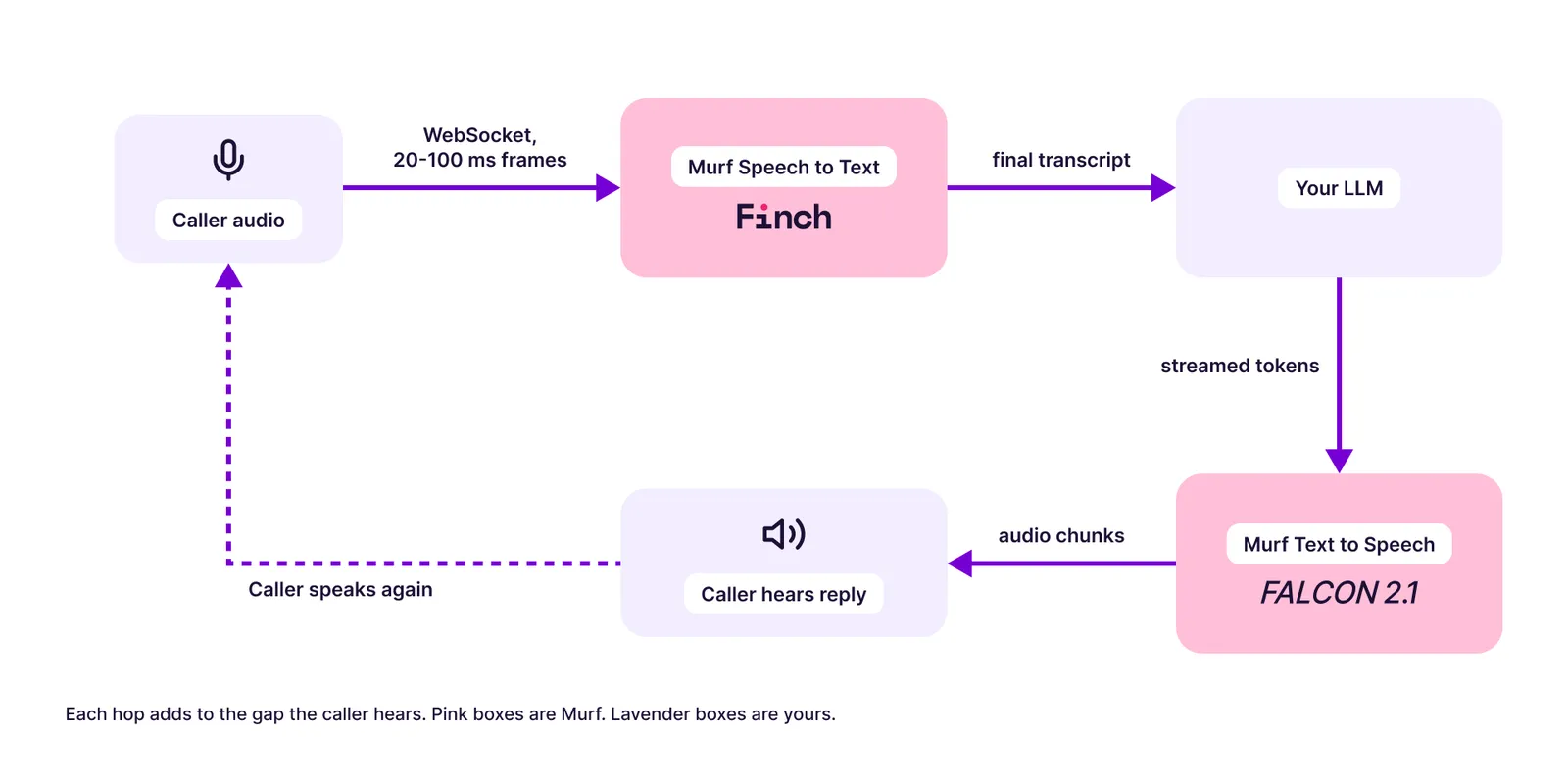
The caller perceives the gap between the end of their speech and the first word of the reply. Each hop adds to that gap:
Pick your building blocks
The LiveKit, Pipecat, and Agora integrations provide Murf as the Text to Speech service. Pair them with Murf Speech to Text through its WebSocket, or with your framework’s existing speech recognition.
Five rules for low latency
- Keep one WebSocket open per call. Send every turn on it. Reusing the connection saves 30–80 ms of handshake per request.
- Stream LLM tokens straight to Falcon. Turn off sentence aggregation in your framework. Falcon splits on punctuation itself, so splitting twice only adds waiting.
- Use one
context_idper turn, and sendclearon that context when the caller interrupts. See Context ID. - Run close to Murf. Use the global endpoint, or the region nearest your agent server. Measure from that server, not a laptop.
- Authenticate from your server. Speech to Text and the Text to Speech WebSocket take your API key, so keep them on the backend. See API key safety.
The full checklist is in Latency Optimization.
Write replies for the ear
Your LLM writes every word the caller hears. Markdown, lists, and romanized Hindi all sound wrong when spoken. Prompting Falcon includes a system prompt block you can paste into your agent, with rules for numbers, codes, names, and pauses.