

Context ID
Murf’s WebSocket implementation is based on the concept of a Context ID — a unique identifier used to track a specific TTS request. Context ID ensures continuity in the conversation, especially when the input text is generated in real time (e.g., via an LLM), comes in parts, or when the interaction is interrupted. It serves as a proxy for a single turn in the interaction between a user and the agent.
Why Use a Context ID?
- Maintains Conversational Flow: Links input and output across split or partial messages.
- Handles Interruptions Gracefully: If a user interrupts the agent, the Context ID ensures that the current request can be cancelled or skipped.
- Supports Multi-Turn Interactions: Essential for structured flows like bookings, troubleshooting, or guided forms.
- Simplifies Handoff and Debugging: If support is needed, the Context ID allows you to trace exactly what happened in a specific interaction turn.
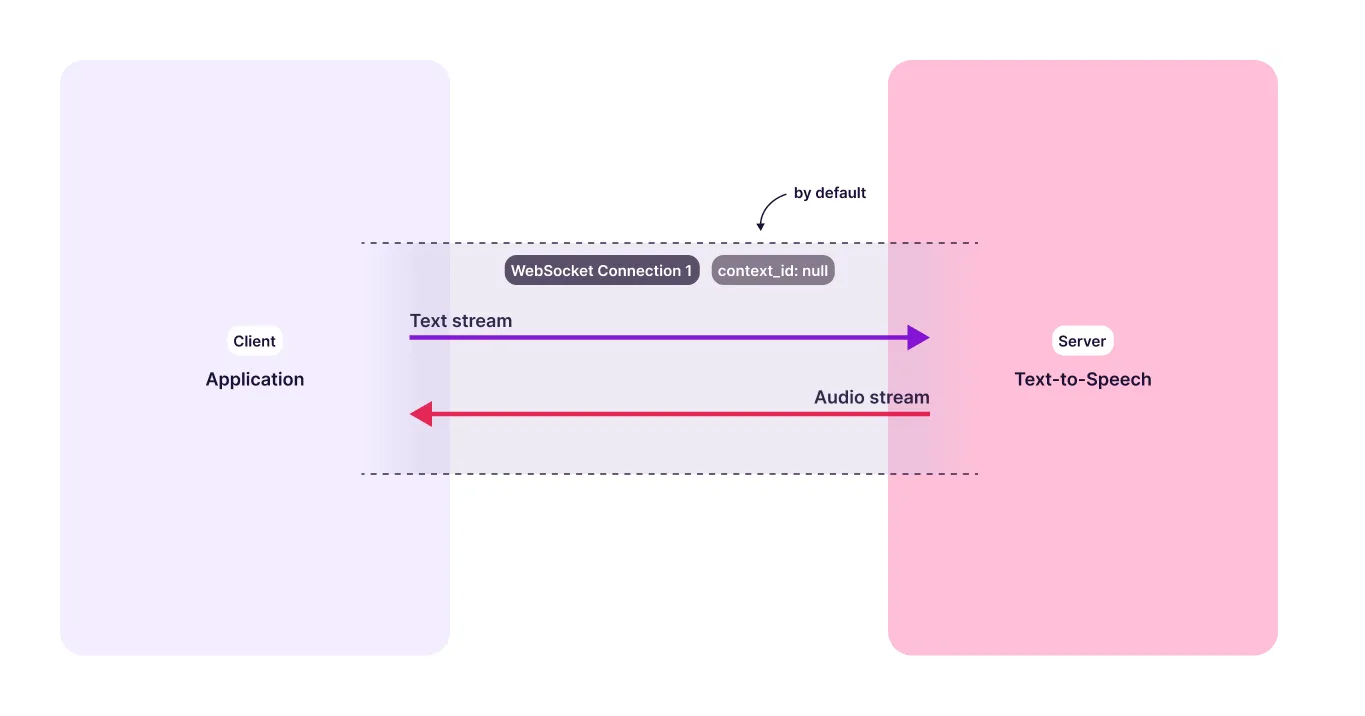
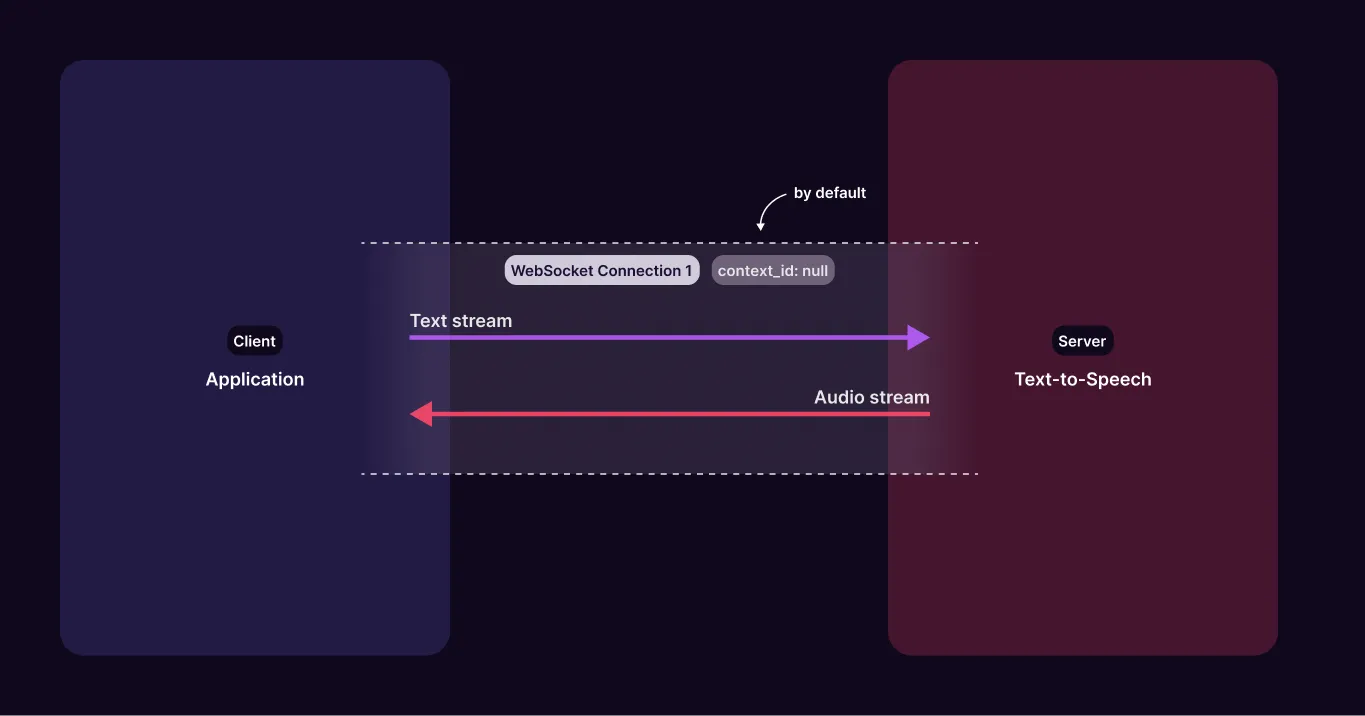
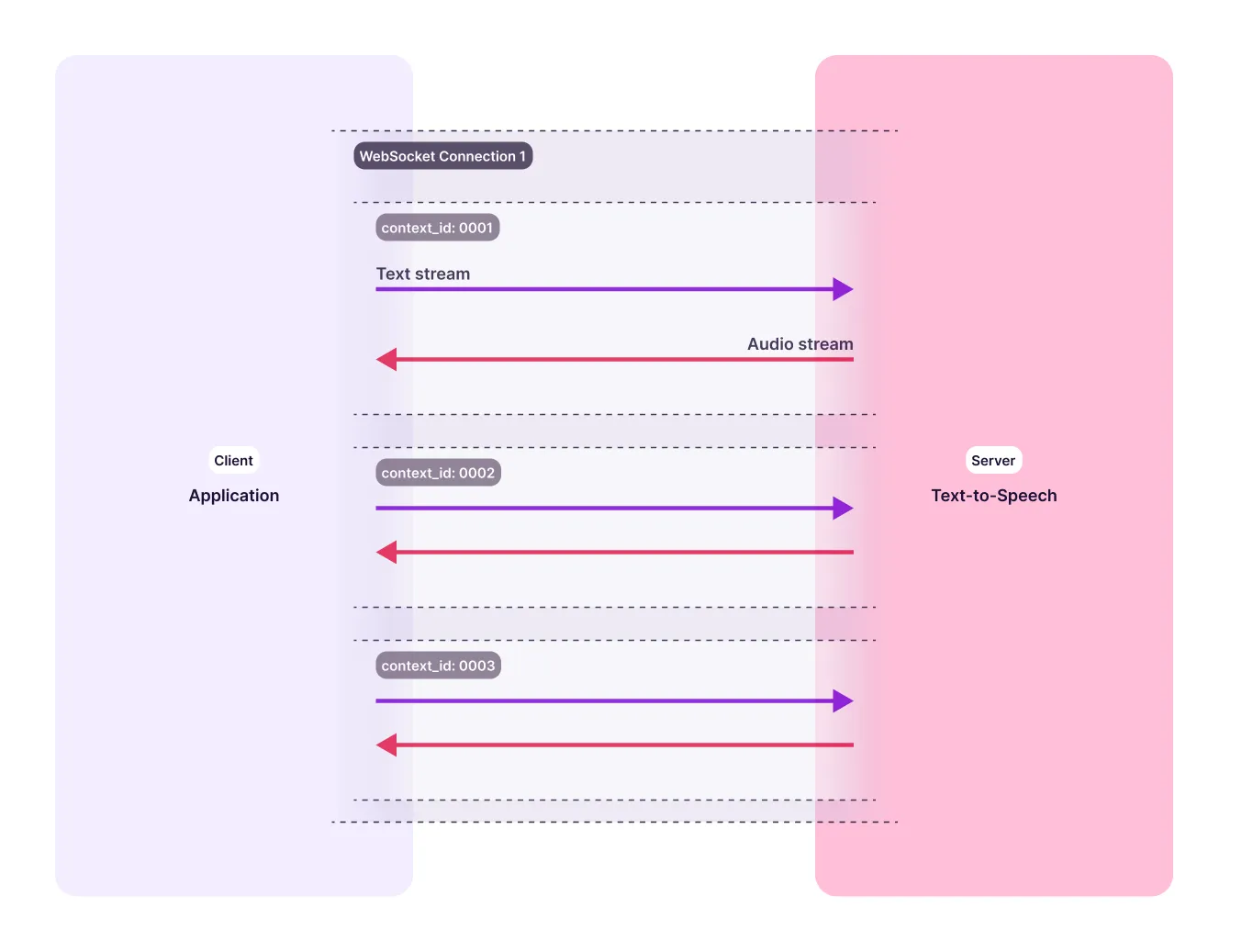
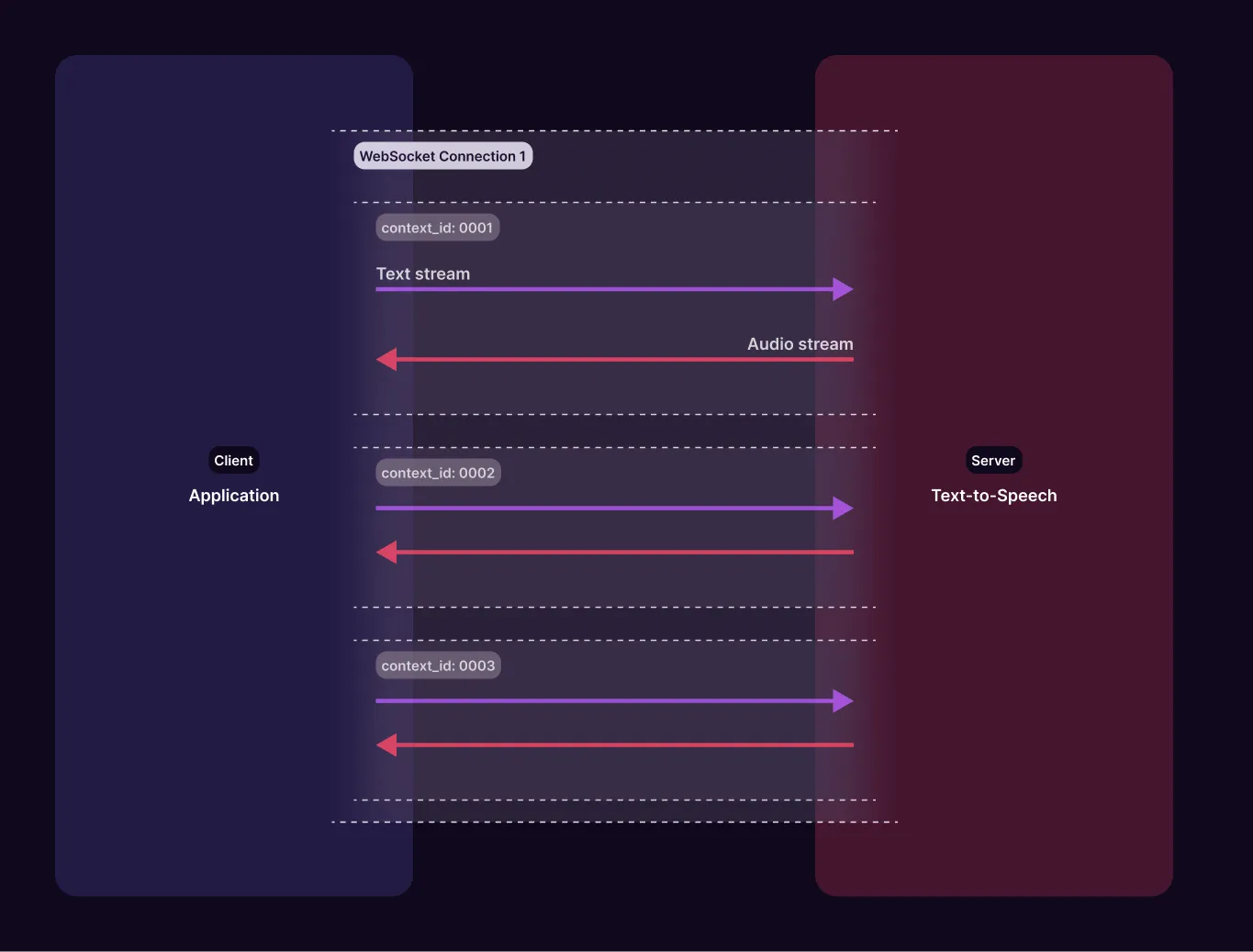
Working with Context IDs
Input Stream
- Assign a new
context_idfor each turn in the conversation. - The
endparameter should be set totrueat the end of each turn. This clears the context and allows the next turn to start. - Ensure input text includes proper punctuation for better prosody and consistent audio output.
If you omit context_id, the server uses a per-connection identifier but
echoes null back to you. A single-stream client may omit it, but must not
key its state on the echoed value.
Voice settings and Context IDs
A context_id does not change the values in voice_config. It scopes the
configuration to one independent context:
- A
voice_configwith acontext_idapplies only to text sent with that samecontext_id. - A
voice_configwithout acontext_idapplies only to the default context (text that also omitscontext_id). - Named contexts do not inherit the default context’s voice settings or the settings of another named context.
- Once configured, a context keeps its settings for its lifetime, even if the default context is configured differently later.
When using named contexts, initialize each one by sending voice_config and
the same context_id before its first text frame. If text reaches a context
without its own configuration, Murf uses the default voice and sends a
NO_VOICE_CONFIG warning. A configuration without voiceId similarly falls
back and sends NO_VOICE_ID. See
Errors & Warnings.
For a single default stream, omitting context_id from both the
configuration and text frames is valid. Do not mix an unscoped
configuration with text that has a named context_id.
Output Audio
- The response will include the same
context_id, allowing you to match responses with their corresponding inputs. - A
finalflag will indicate that all audio for that context has been sent. - Output is streamed in the same order that input text was received.
Concurrency
Each simultaneously active context_id counts toward your streaming concurrency limit. Closing a turn with {"end": true} frees its slot shortly after its final message. Each final message reports the region, its limit and the contexts in use, and with include_usage=true a session_info message reports the same when a context starts. If a new context goes over the limit, you receive an ACTIVE_CONTEXT_LIMIT_EXCEEDED error and the connection is closed with code 4029. See Rate Limits & Concurrency and Errors & Warnings.
Handling Interruptions
- If the user interrupts the agent mid-response, start a new
context_idfor the next turn. - Murf’s WebSocket supports multiplexing, so multiple
context_ids can run independently over the same connection. - To cancel a pending or in-progress turn, use the
clearparameter. If audio generation hasn’t started, the request is cancelled. If audio generation has started, the audio will still play to completion.
clear semantics
{"clear": true}discards the context and any pending audio. This is what you use for barge-in. If you are using word timestamps, also drop every timestamp whosestart_sis past the current playback position.{"clear": false}means “do not clear” and is safely ignored, so it is fine to send a fully-populated payload with the key present.textsent in the same frame asclearis dropped, and you receive aTEXT_IGNORED_WITH_CLEARwarning. Send the clear and the new text as two separate frames.
Example for using Context ID in a Voice Agent
Let’s say you’re building a voice agent that helps users book flights.
Establish WebSocket Connection
You open a WebSocket connection when the conversation starts. This connection stays open and allows real-time audio streaming between user and agent.
Use a Context ID for Each Agent Response (Turn)
Turn 1
User says: “I want to book a flight to Paris.”
Your backend processes this and generates an agent response:
Agent text: “Sure, when would you like to travel?”
First configure turn_1, then send text with the same context_id. Each
JSON object is a separate WebSocket frame:
Murf returns audio with context_id: “turn_1” so you can play it back to the user.
Turn 2
User says: “Next Friday.”
Agent response: “Got it. Do you prefer morning or evening flights?”
Because turn_2 is a new context, configure it separately. It does not
inherit the voice settings from turn_1:
Murf returns audio tagged with context_id: “turn_2”.
Handle Interruptions
If the agent is mid-response and the user interrupts (e.g., says “Wait, make that Saturday”):
- Stop playback of the current audio. The
clear: trueflag cancels any pending or incomplete responses tied to earlier contexts. - Clear the previous context:
- Configure the new context:
- Send the updated agent reply with the same new
context_id:
Murf returns audio tagged with context_id: “turn_3”.
Send these as three separate frames. If you put clear and text in
the same frame, the text is dropped and you receive a
TEXT_IGNORED_WITH_CLEAR warning.
Why This Matters
- Each context ID represents one agent turn in conversation.
- You maintain clean tracking of each response, even with interruptions.
- WebSocket handles all turns over a single connection, supporting real-time, fluid interaction.