

Set up LLA
Install and configure the Murf Local License Agent (LLA) on your server.
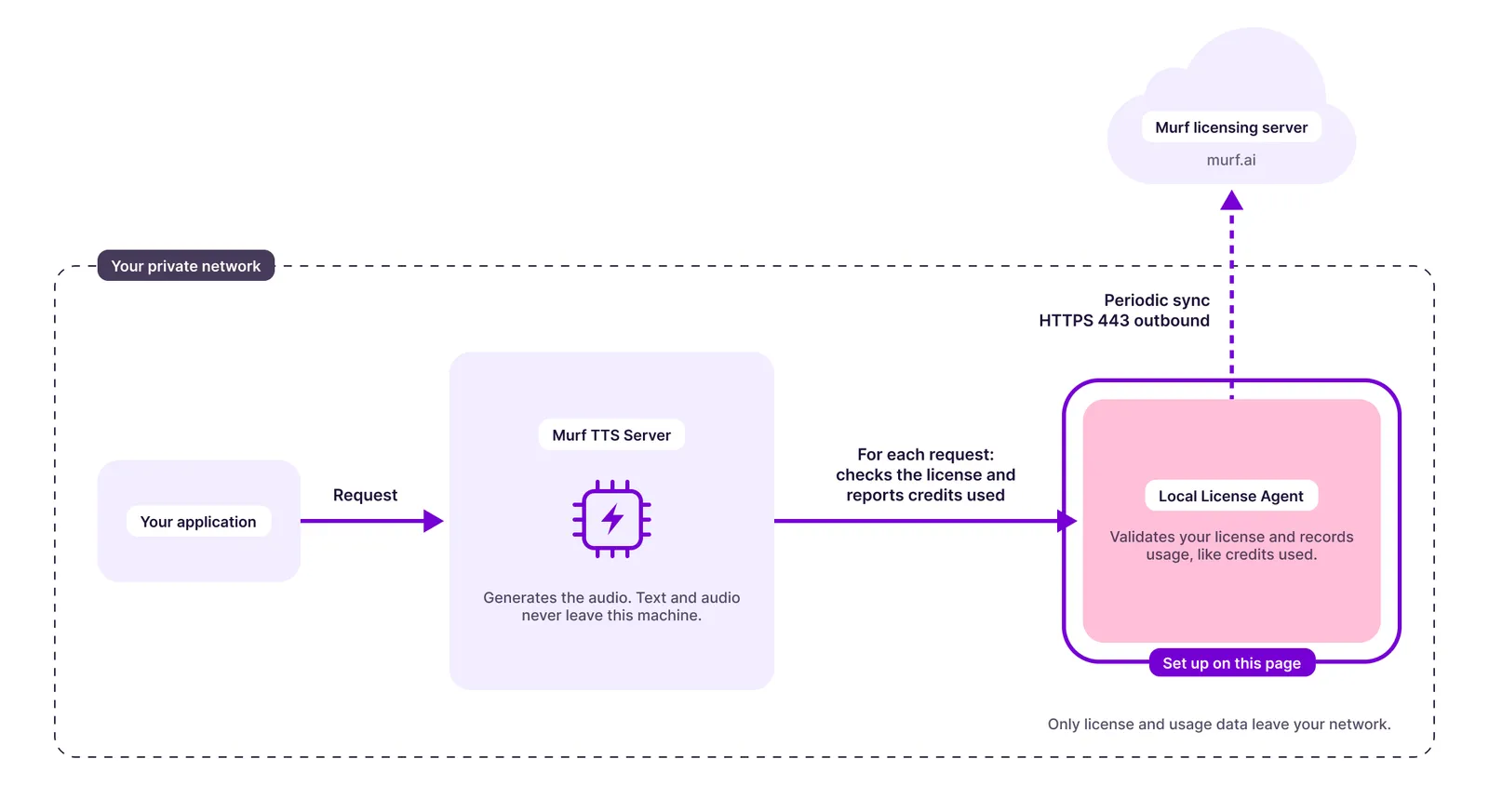
The Murf Local License Agent (LLA) is an on-premises licensing proxy that enables secure, high-performance text-to-speech generation within your network. By deploying locally, you benefit from:
- Reduced Latency: Process requests on your infrastructure without internet round-trips
- Data Privacy: All audio synthesis happens within your network perimeter
- Compliance: Meet strict data residency and privacy requirements
- Offline Operation: Continue working even when external connectivity is limited
Trial Deployment
This guide focuses on a simple single-machine deployment perfect for:
- Evaluating the LLA capabilities
- Development and testing environments
- Low-volume production workloads (< 1,000 requests/minute)
- Proof-of-concept implementations
Prerequisites
Hardware Requirements
- CPU: 1–2 vCPU minimum (production: 2+ vCPU recommended)
- Memory: 1.5 GiB minimum (production: 2+ GiB recommended)
- Storage: 5 GB free minimum
- Network:
- Outbound internet access (to reach Murf licensing server)
- Inbound private access from the TTS server
Software Requirements
- Operating System: Linux x86_64 (Ubuntu 20.04+, Debian 11+, RHEL 8+, or similar)
- Kernel/Cgroups: cgroup v2 supported (Docker defaults ok)
- Docker: Version 20.10 or higher
- Docker Compose: Version 2.0 or higher (usually included with Docker Desktop)
Verify Docker Installation
Installing Docker
If Docker is not installed, follow these quick steps:
Ubuntu/Debian:
macOS/Windows:
- Download and install Docker Desktop
Network Requirements
The LLA needs outbound access to:
- Murf Licensing Server: murf.ai domain on port 443 (HTTPS)
- Murf API Server: Your designated Murf endpoint (provided separately) No inbound ports need to be exposed to the public internet. Your applications will connect to the LLA on your local network.
Installation & Deployment
Extract Distribution Package
You should have received a distribution package named lla-distribution-latest.tar.gz.
Load Docker Images
The distribution includes pre-built, obfuscated Docker images.
Verify the images are loaded:
This will give you output like this: